There are four waste compartments: two bins under the kitchen sink and a white two-compartment Brabantia bin near the garage-access area. Use the four compartments to separate waste in whichever way works best for you.
🚮 Taking the waste out
When taking waste out of the house, use one of the three disposal points below depending on what you need to throw away or recycle.
🗑️ General waste · closest point
For everyday residual waste, use the disposal point almost opposite Infinity — this is the closest option to the house.
Located inside the cabinet immediately to the left of the main entrance. Under normal conditions, all switches should remain ON. If a switch trips, you may reset it once. If it trips again, contact the Property Manager.
💧 Main water shut-off
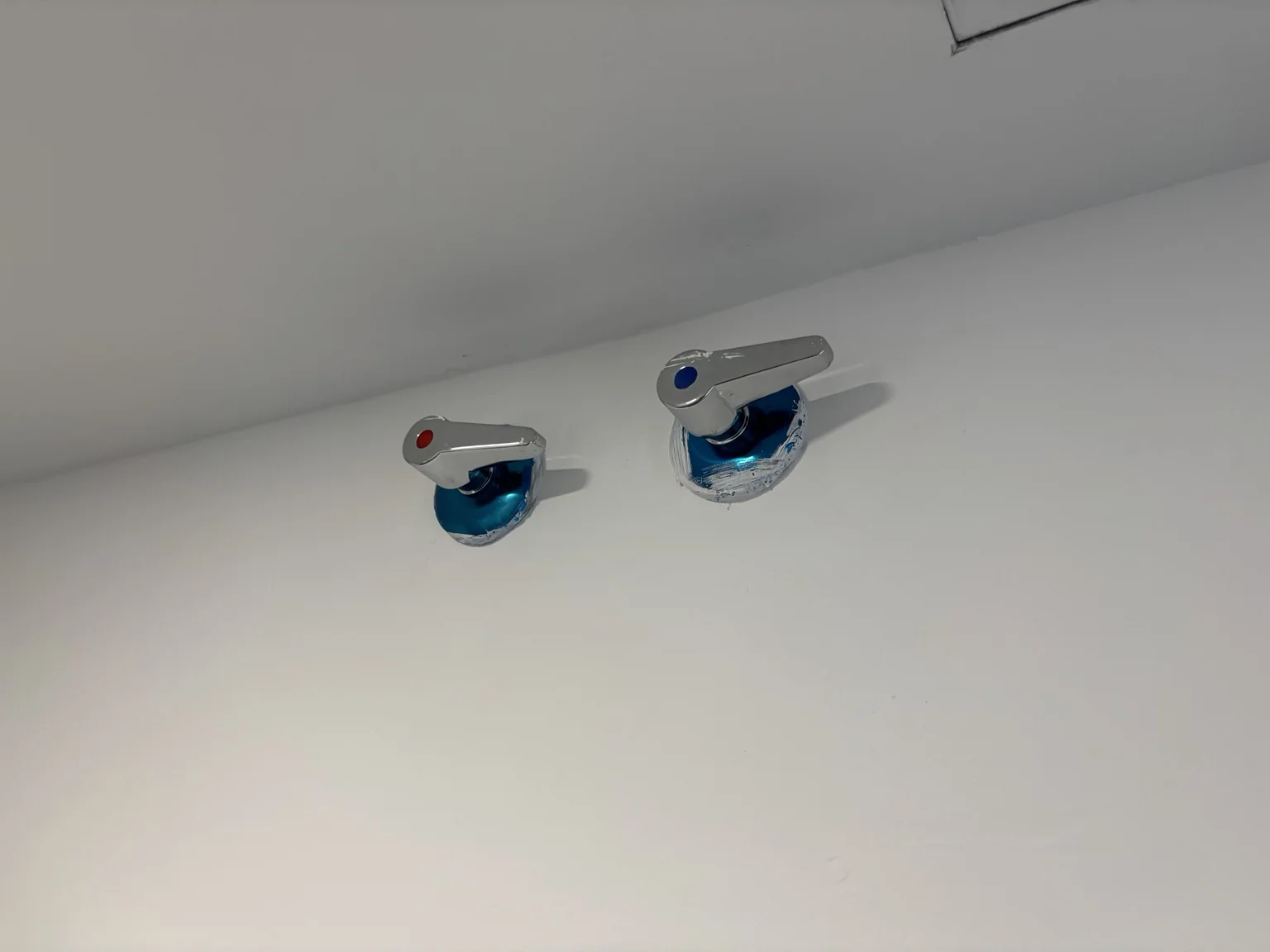
The two main water shut-off valves are in the Laundry & Utility room. As you enter, look up to your right.
In an emergency, turn both handles until they are horizontal. Horizontal = CLOSED. Only shut off the water if necessary and contact the Property Manager if there is a leak or water-related problem.
Main water shut-off · both handles horizontal = CLOSED
For anything related to the house or community, contact the Property Manager first. For an emergency, use the services below.
💬 Property Manager · Primary contact
For any issue related to the house, access or community, please contact the Property Manager first. Their direct phone and WhatsApp details will be shared with you before arrival.
Your Property Manager will meet you and personally assist you with check-in and access to the property. Your arrival time will be coordinated with you beforehand.
Garage entrance
Infinity Phase I
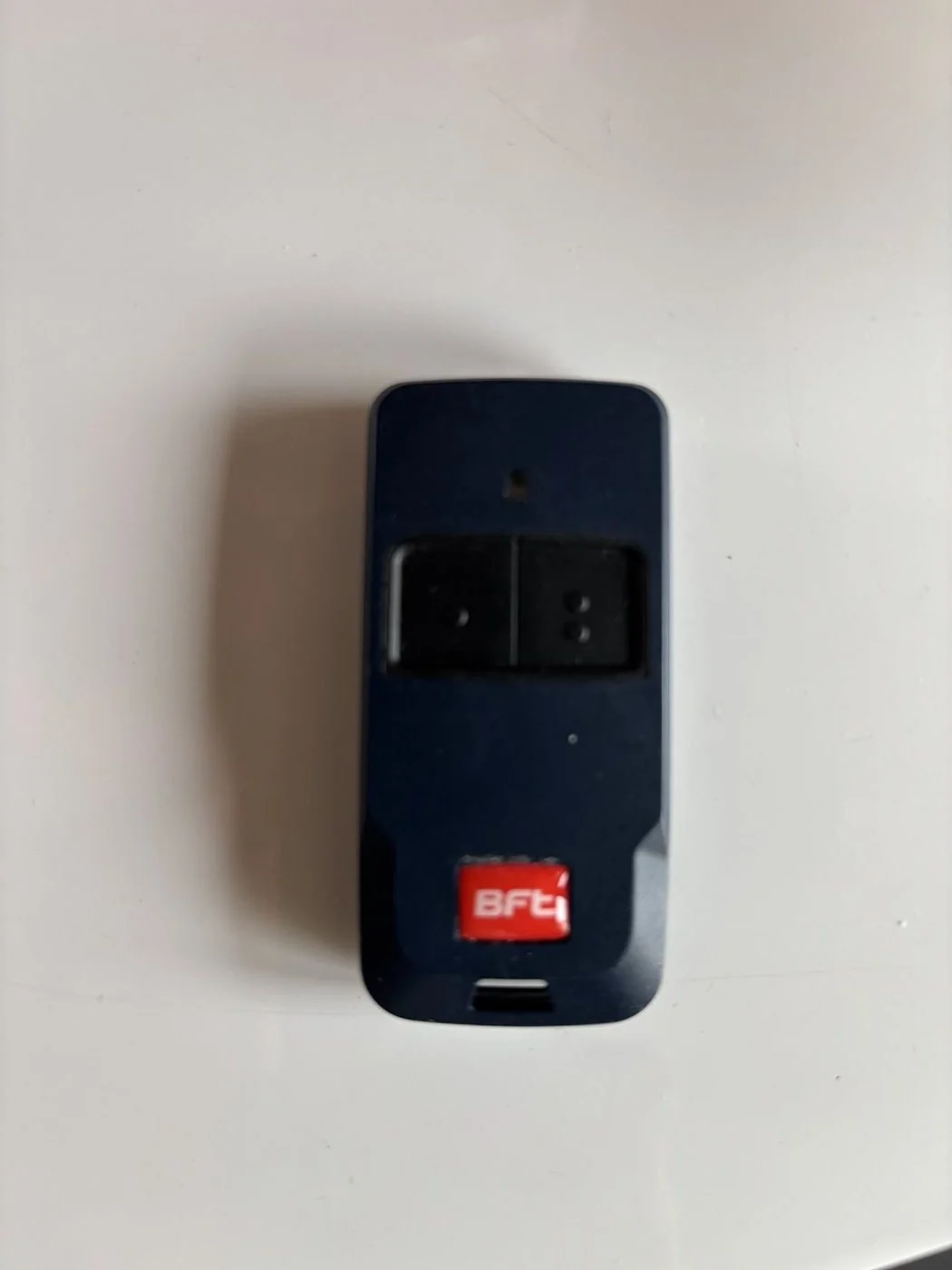
Use the garage remote provided with your keys. Hold it vertically with the red BFT label at the bottom and press the upper-left button, marked with one dot. A yellow light on the left side of the entrance flashes when the signal is received and the door starts opening.
Garage remote · press the upper-left button marked with one dot
Parking
Private spaces 36 & 37
Enter through the Infinity Phase I garage and continue almost all the way to the far end. Parking spaces 36 and 37 are on your left-hand side.
From the garage into the house
Once you have parked in spaces 36 or 37, facing the wall in front of the parking spaces, follow the wall to your right and use the first door on your right-hand side.
This door takes you directly into the house.
Once inside
Right → Private owners’ storage — no guest access Left → Laundry & utility area Straight ahead → Main living area
Pedestrian access
Behind the security lodge
Enter through the pedestrian gate behind the security lodge using the dedicated pedestrian-access key in your key set. Follow the pedestrian path almost to the end until Block 4 · Camelia, the last block along the path. The entrance is on your left. Your home is Door B.
Access during your stay
What you’ll receive at check-in
🔑 House keys · Multiple sets will be provided. 🚗 Garage remotes · 2 remotes. 🛡️ Alarm tags · Included with the key sets, allowing you to arm or disarm the alarm if you wish. 🏊 Pool access cards · Up to 6 cards available for guests.
🔑 Keys & Ajax Tag
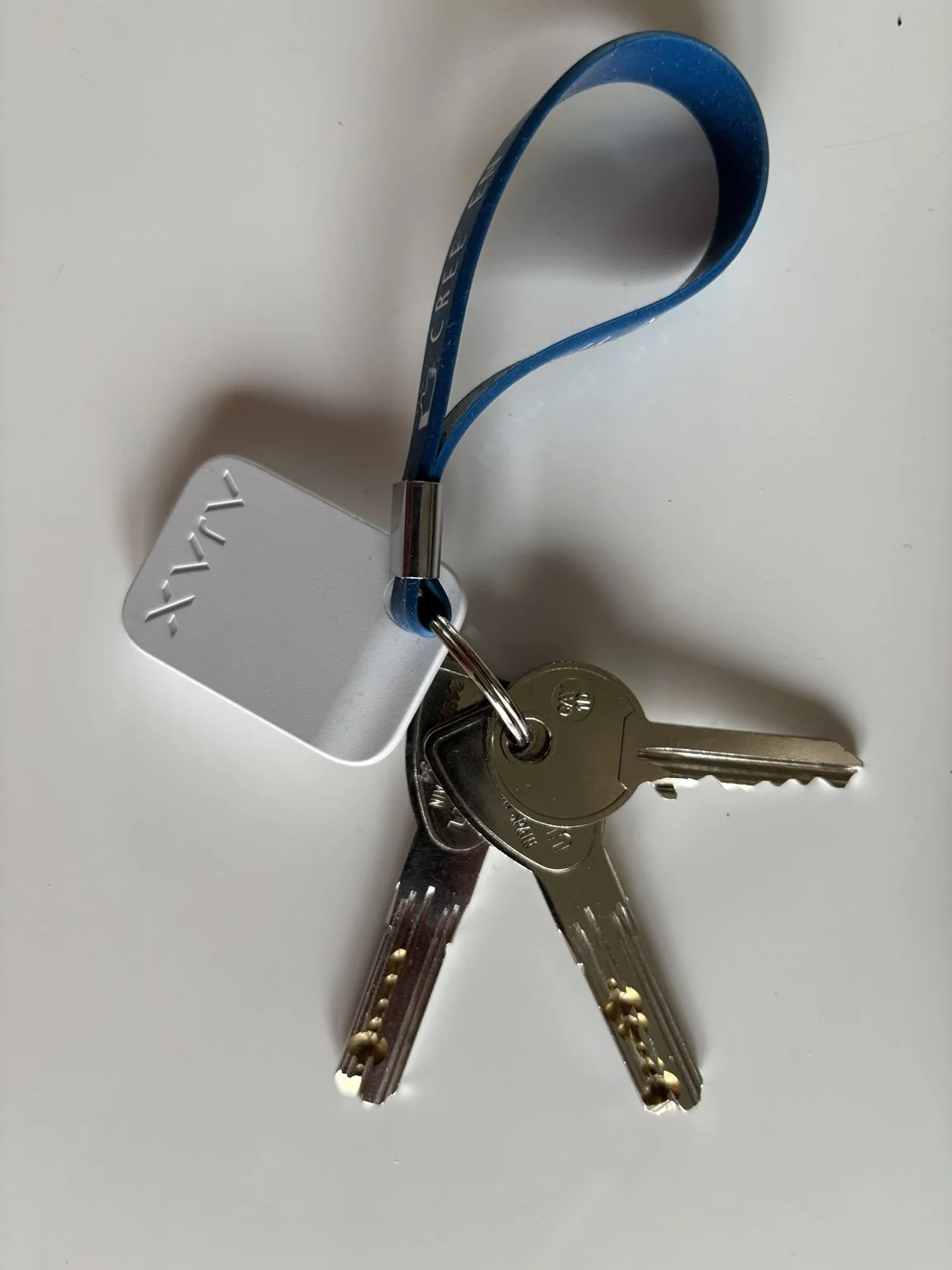
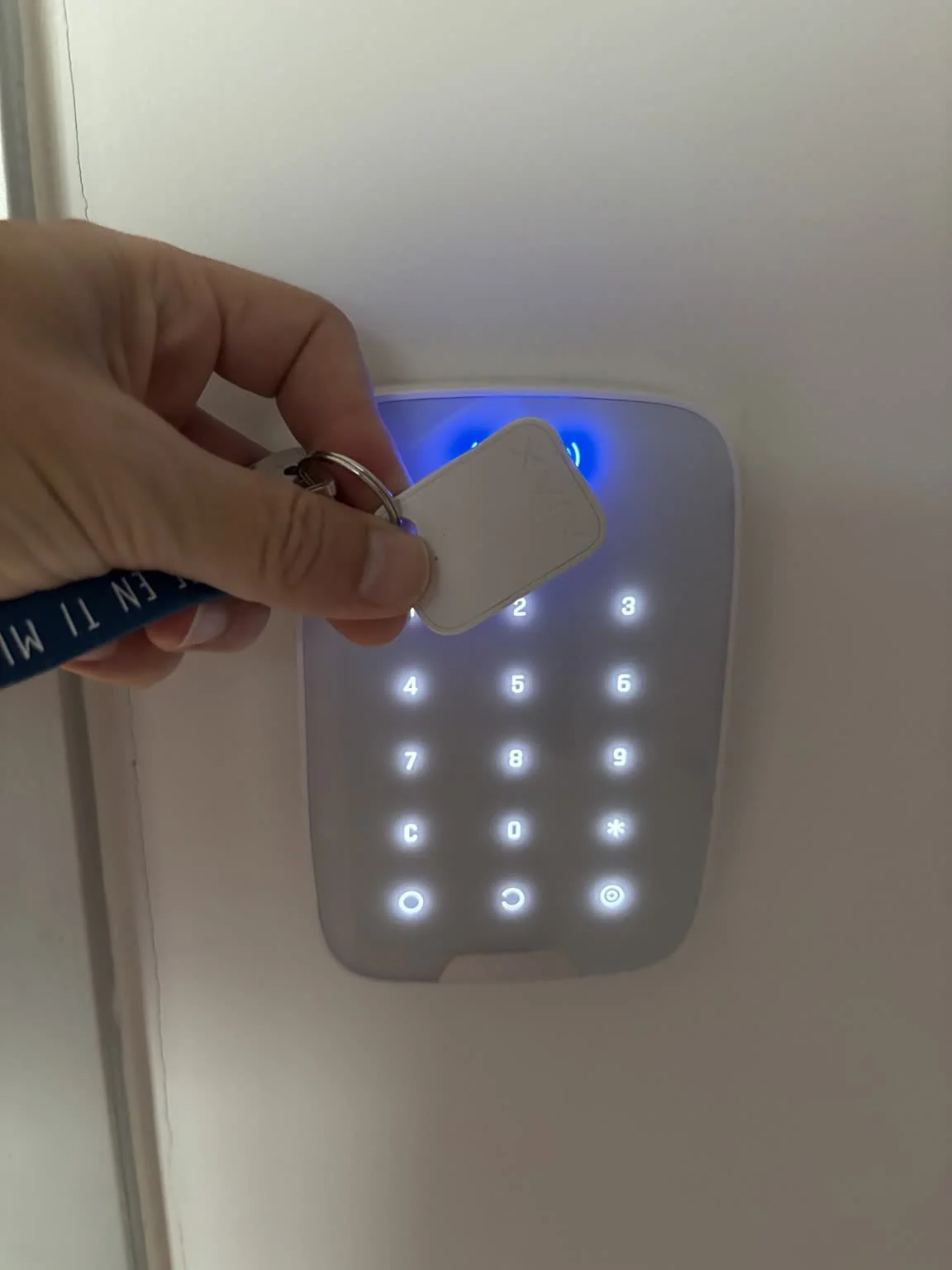
The key set includes three main keys: the upper entrance door, the garage/lower-floor entrance, and the serrated key for the community pedestrian entrance. The Ajax Tag on the keyring is used at the alarm keypad to arm or disarm the alarm.
Guest key set · three access keys and Ajax Tag
At check-out
Please keep all keys, garage remotes, alarm tags and pool access cards together and return them to the Property Manager at check-out.
The Ajax keypad is immediately on your left when entering the house from the garage.
Ajax Tag
The Ajax Tag is attached to the keyring supplied with your house keys.
Status indicators
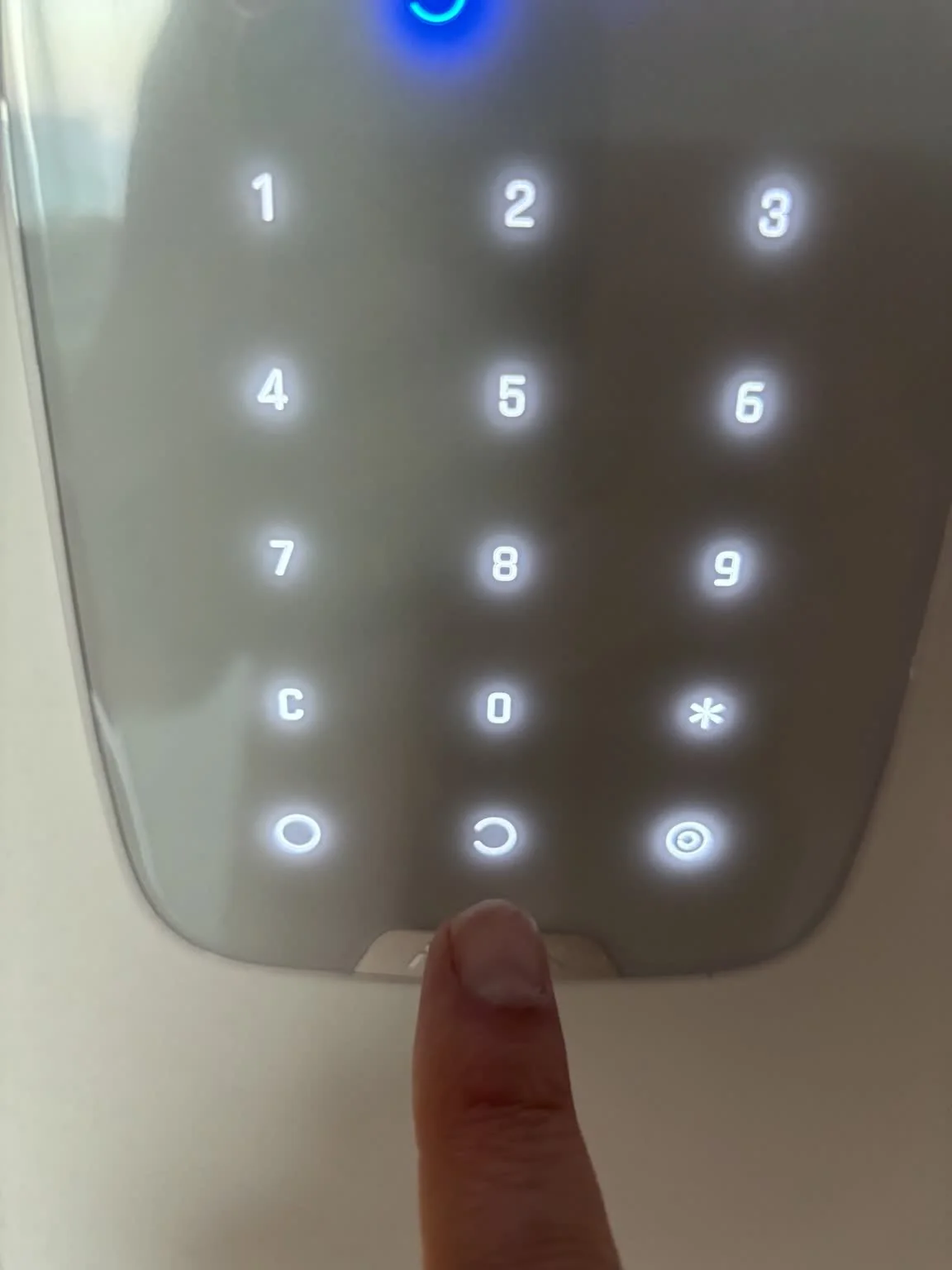
The illuminated symbols at the top are status indicators only. Use the actual Arm / Disarm controls on the bottom row to change the alarm state.
TAG READERTOUCH KEYPADARM / DISARM
Ajax keypad · where to present the TagARM · bottom controlsDISARM · bottom controls
Using the alarm
1. Touch the keypad to wake it up. 2. Hold the Ajax Tag against the top of the keypad. 3. When leaving, tap Arm.
When returning, repeat the same steps and tap Disarm instead. Please remember to disarm the alarm when you return home.
How to arm the alarm · quick demonstration
📷 Cameras & Privacy
Indoor camera
The camera located in the kitchen is physically disconnected during guest stays for your privacy.
Outdoor security cameras
Two outdoor cameras help protect the property when it is unoccupied. During your stay, the Reolink camera system is set to Disarmed: recording, security alerts and notifications are disabled. Privacy masking is also configured for private areas.
Prefer the outdoor camera system offline?
You will also have the option to disconnect the Reolink Home Hub during your stay using a clearly marked control. Please reconnect it when leaving the property.
If something does not look right
Please contact the Property Manager rather than changing alarm settings.
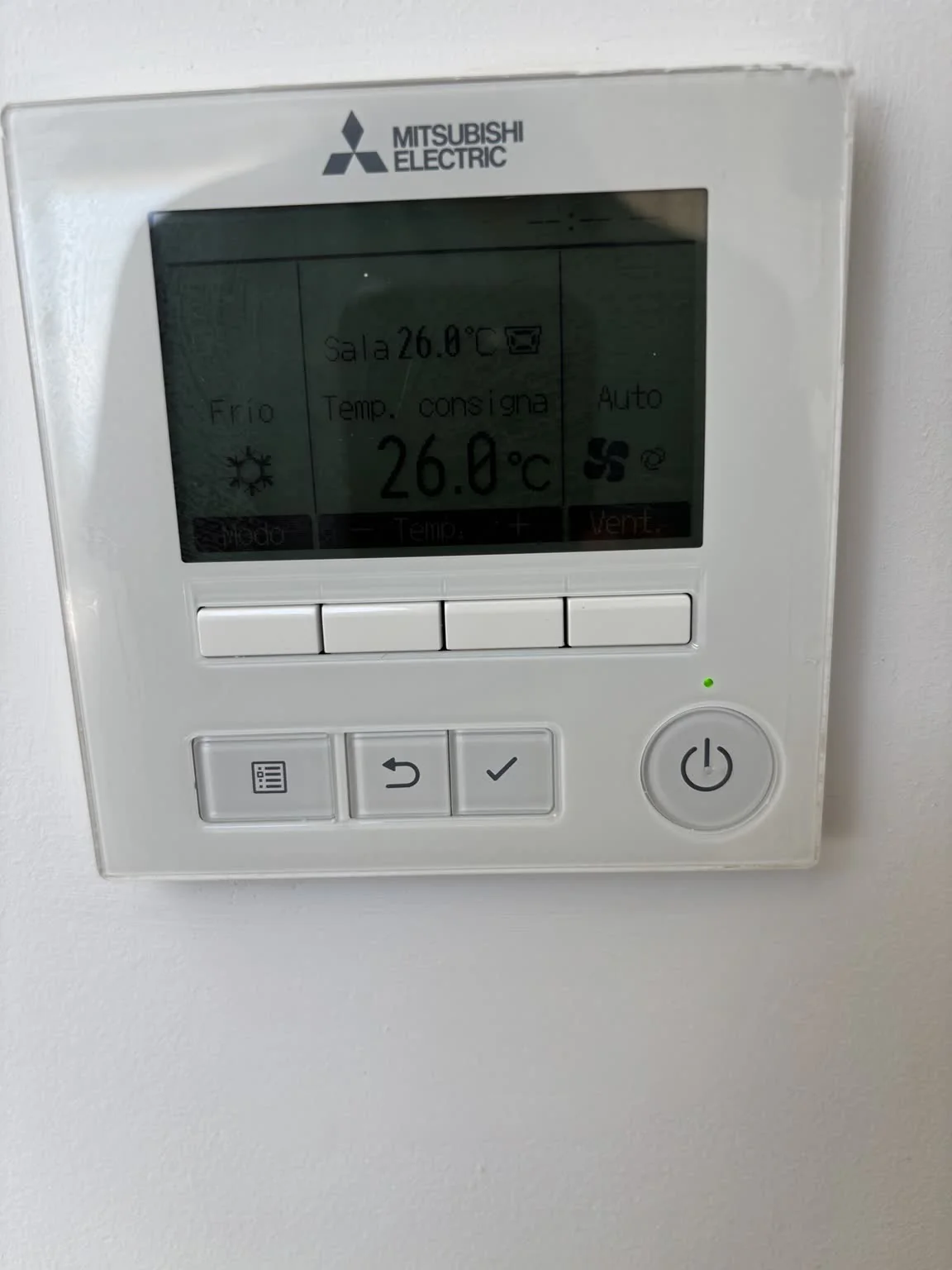
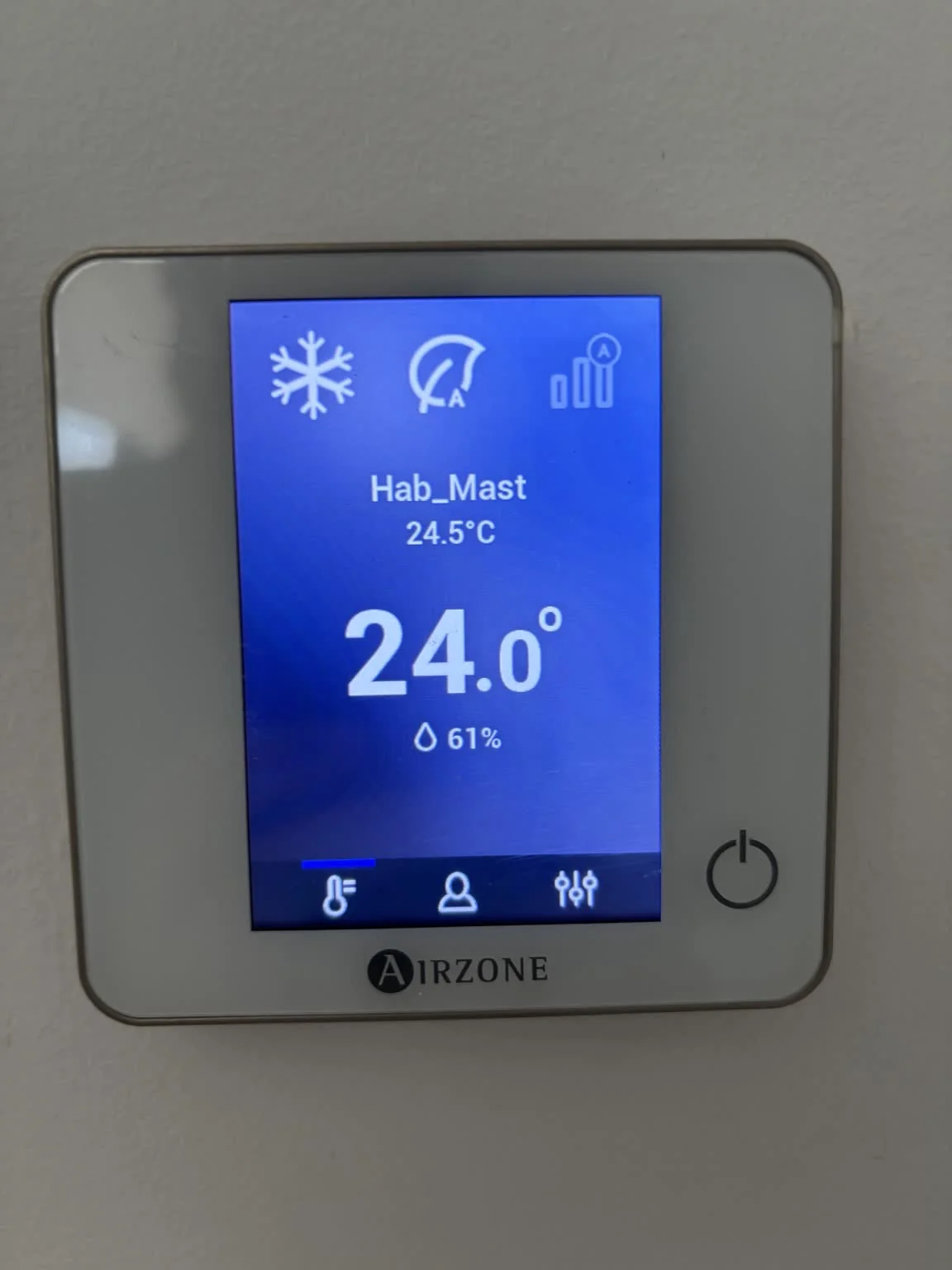
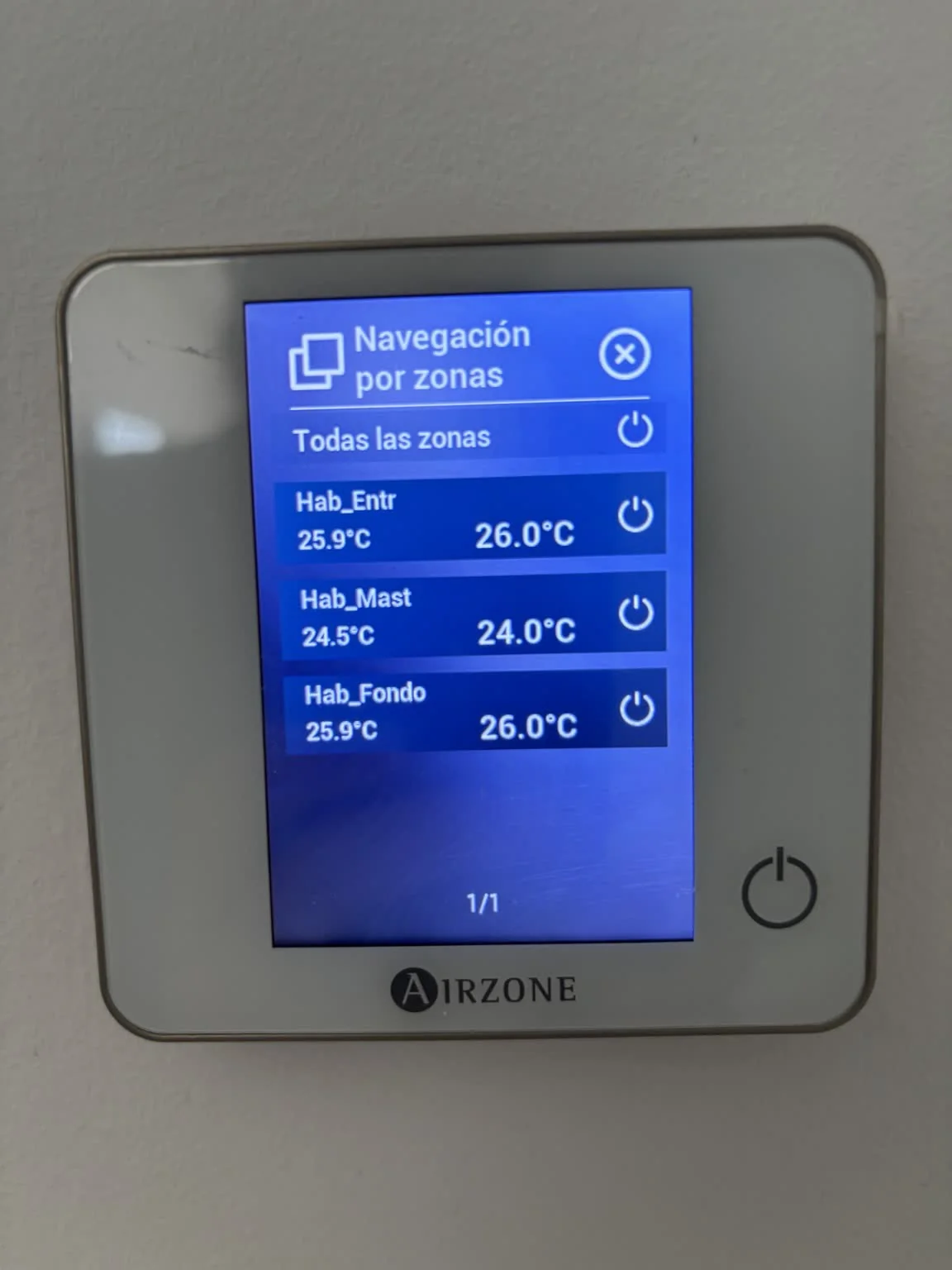
Each bedroom is an independent zone. From the Master Bedroom controller, tap the Room Name to open Zones, then tap the room you want to adjust.
Airzone · Master BedroomAirzone · tap Room Name to open Zones
Siber · Ventilation System
🌬️ Continuous fresh-air ventilation
The Siber ventilation system runs continuously to keep fresh air circulating throughout the house. Please leave it ON during your stay. No adjustment is normally required. If you believe it needs to be switched off, please contact the Property Manager for assistance rather than changing the electrical panel yourself.
Good to know
Keep exterior doors and windows closed while cooling or heating is running. If the large living-room doors will remain wide open, switch off the ground-floor climate system until they are closed again. Large temperature changes do not cool or heat the house faster.
A few useful features of the master suite that may not be immediately obvious.
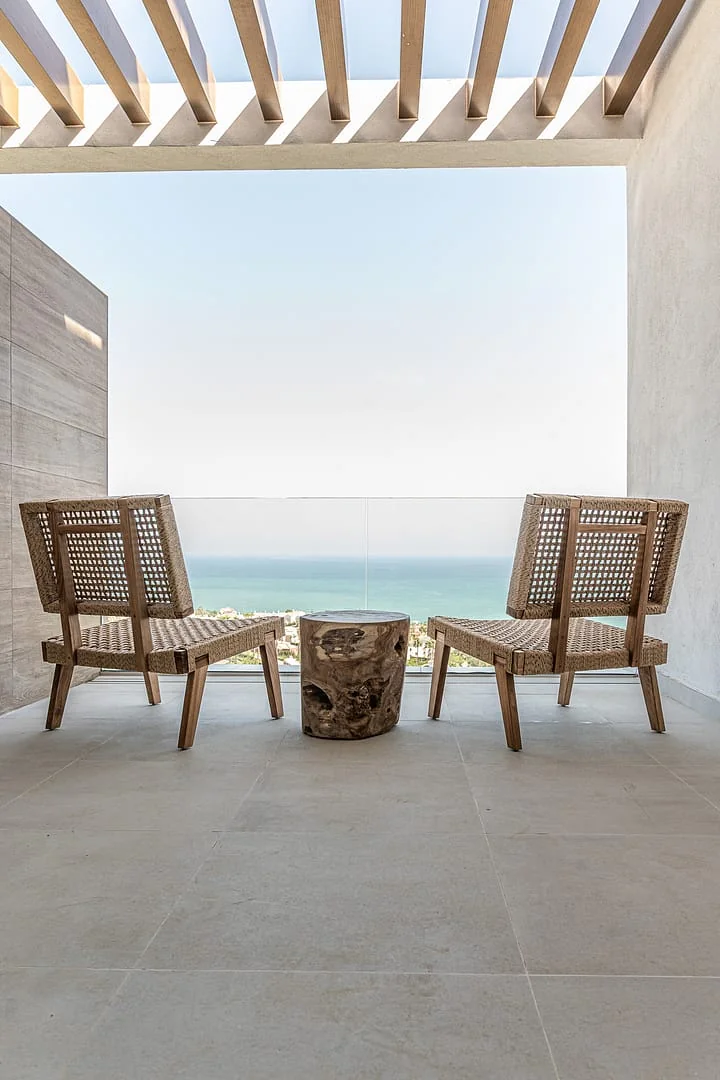
🌅 Private terrace
The master bedroom opens through a large sliding glass door onto a private terrace with two chaise longues and a side table — ideal for a quiet coffee or drink.
Large sliding glass door
As with the living-room doors, the glass panel is large and heavy. Please guide it gently while opening or closing. Before lowering the locking handle, make sure it has reached its fully closed position.
🌙 Electric blind
The master bedroom — like all bedrooms — has an electric blind operated from the wall control. Please make sure nothing is obstructing it before lowering.
🪞 Bathroom mirrors
The illuminated mirrors also include an anti-fog heating function. Feel free to use it while showering; please switch it off afterwards.
Bathroom floor heating
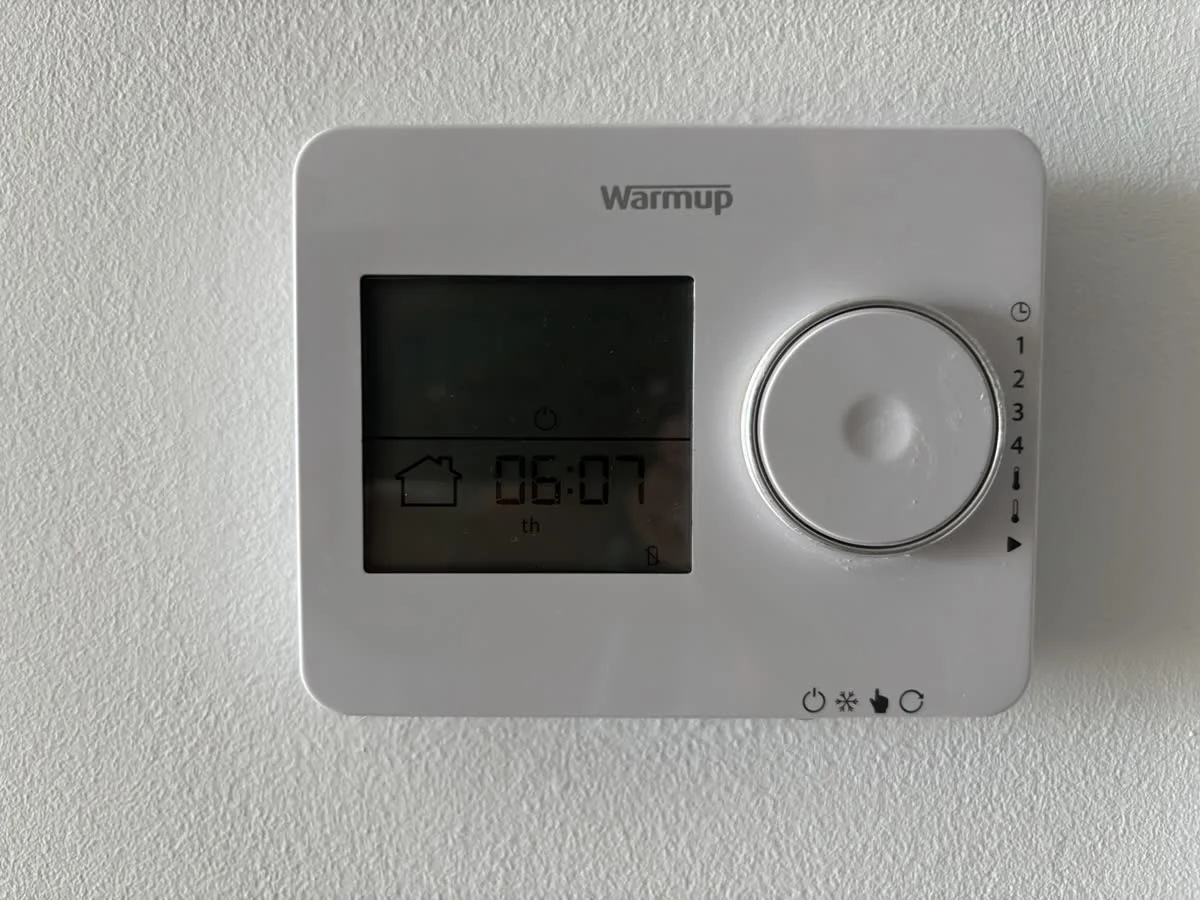
The master bathroom has underfloor heating. It is normally left switched off and no adjustment is required during your stay.
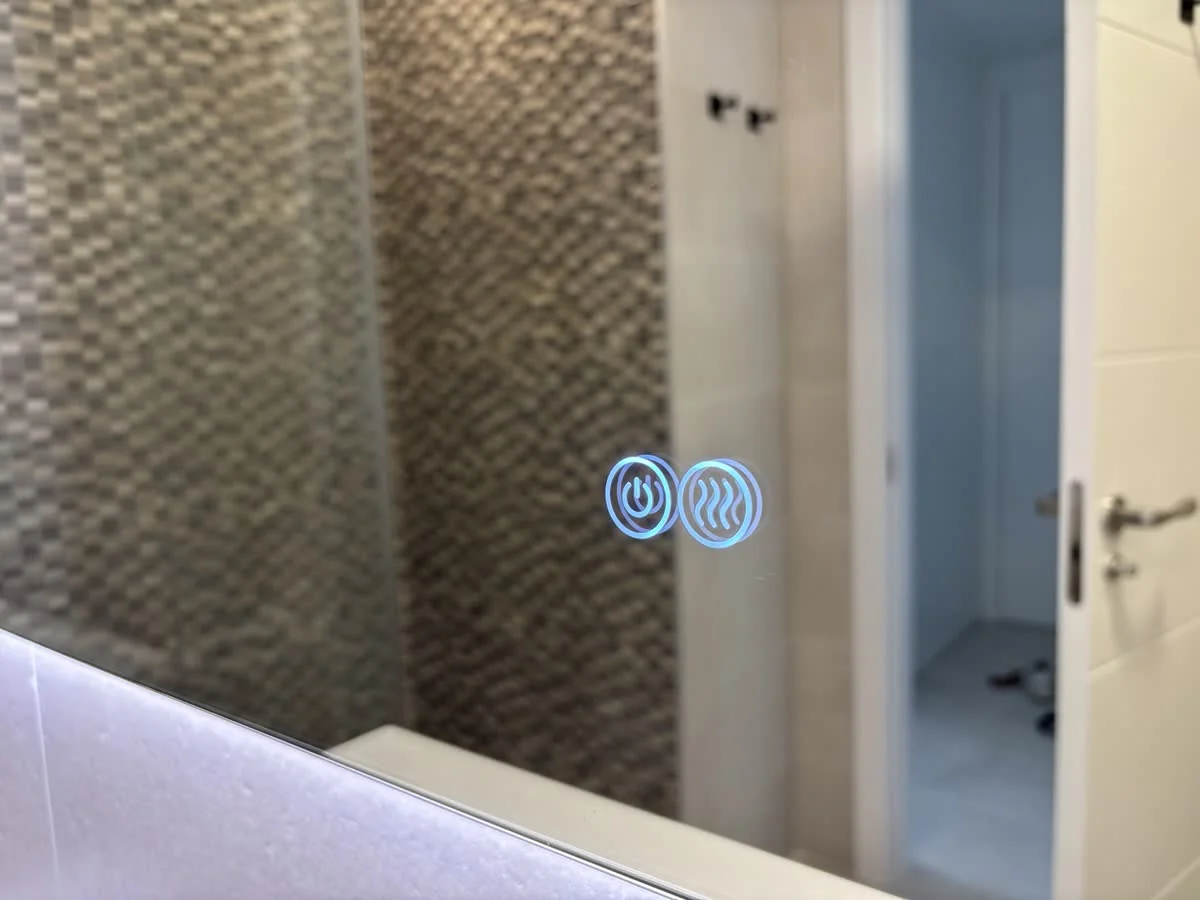
🪞 Bathroom mirror controls
Tap the touch controls on the mirror. Light blue = ON · Dark blue = OFF. Please switch the mirror light and demister off when finished.
Mirror controls · light blue = ON
Bathroom underfloor heating
The bathroom floor heating is normally left off and should not usually need adjusting. If you choose to turn it on, please remember to switch it off again after use.
Need a quiet place to work? A folding desk can turn one of the bedrooms into a temporary workspace.
💻 Flexible workspace
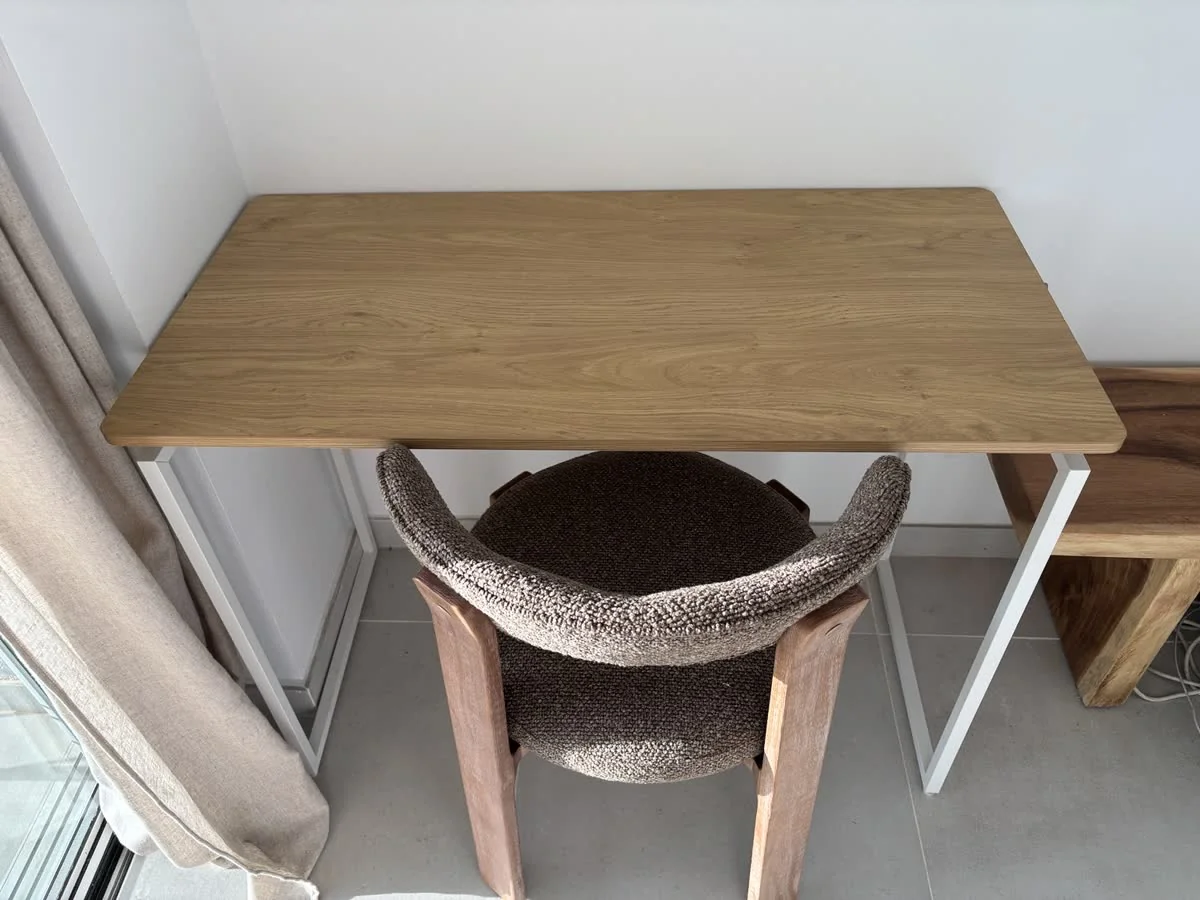
A folding work table is stored in the cupboard under the stairs and can be set up in any bedroom. An extension lead is available in the cupboard with the house instructions.
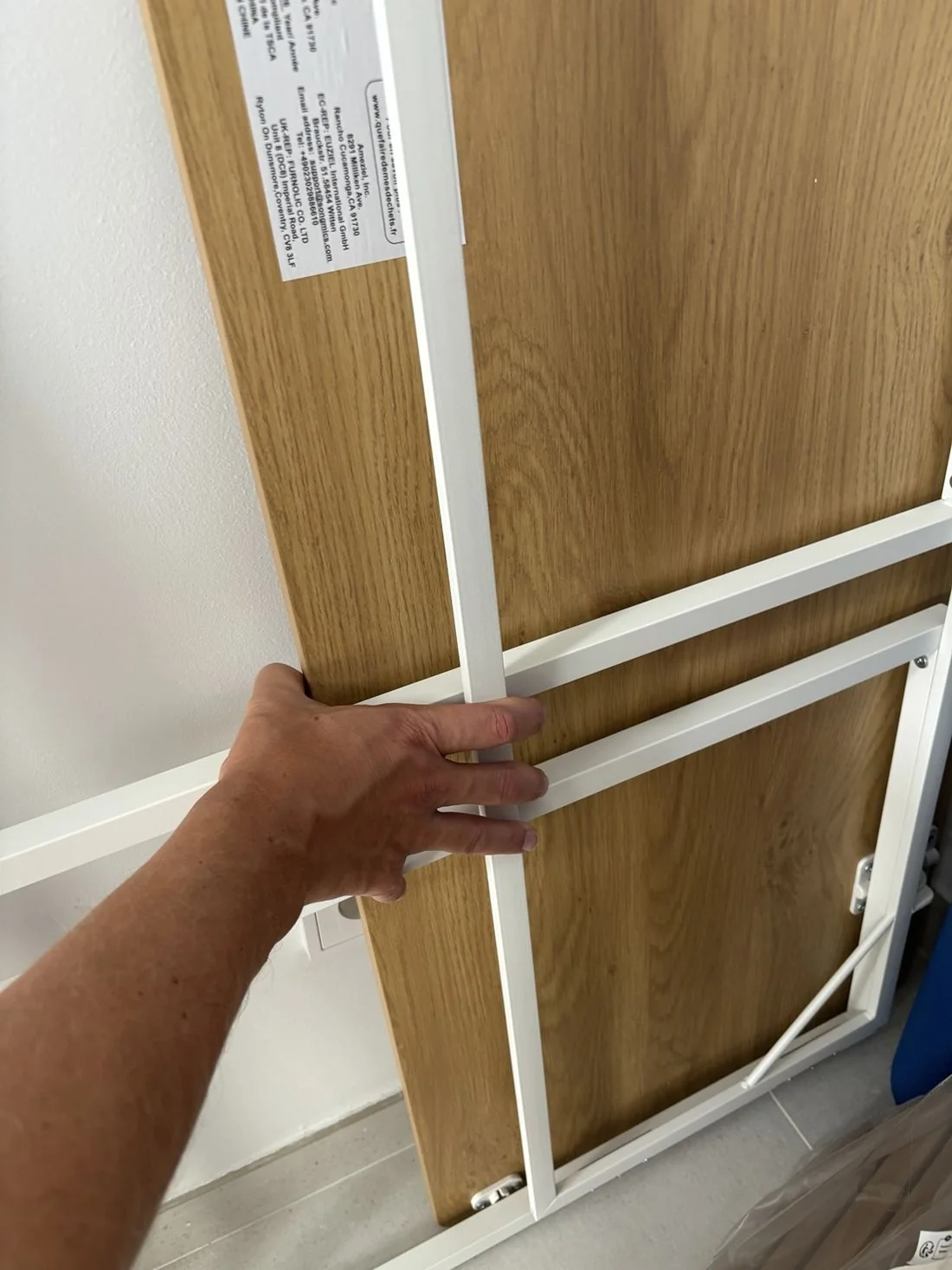
Folding work table · stored under the stairs
Opening the table
Take the folded table from the cupboard, unfold both legs and make sure they click securely into their positions in the tabletop frame. Then turn the table upright.
The kitchen is fully equipped for your stay. Below are the controls and appliances that may be useful to know about.
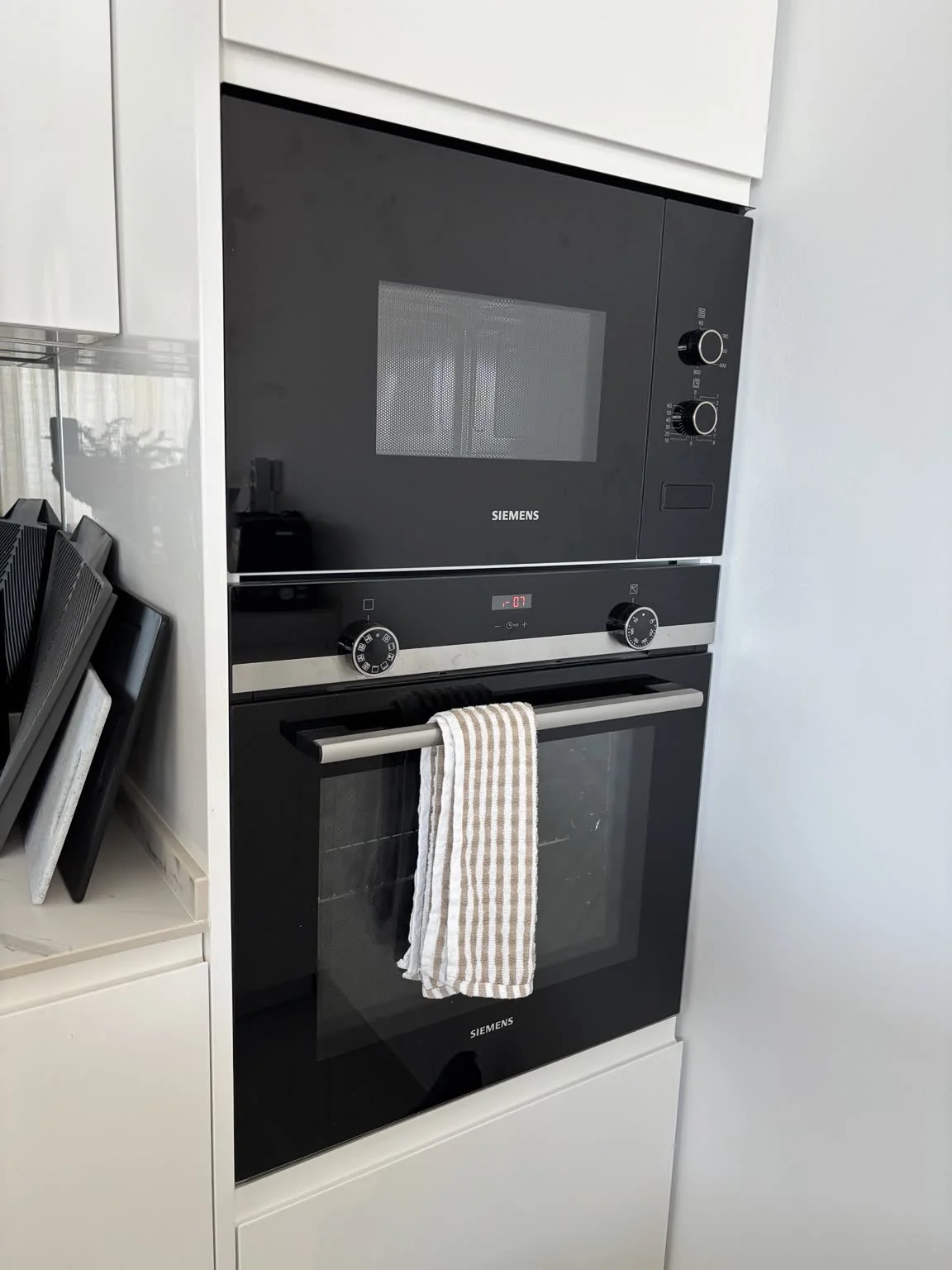
🔥 Oven & ♨️ Microwave · Siemens
Oven: choose the cooking function and set the desired temperature. Microwave: for everyday reheating, 800 W is a useful starting point; select the power and set the cooking time.
Siemens oven & microwave
🍳 Induction hob · Siemens
Use the touch controls to select a cooking zone and adjust its power.
Child lock: exact control and hold time still to be verified.
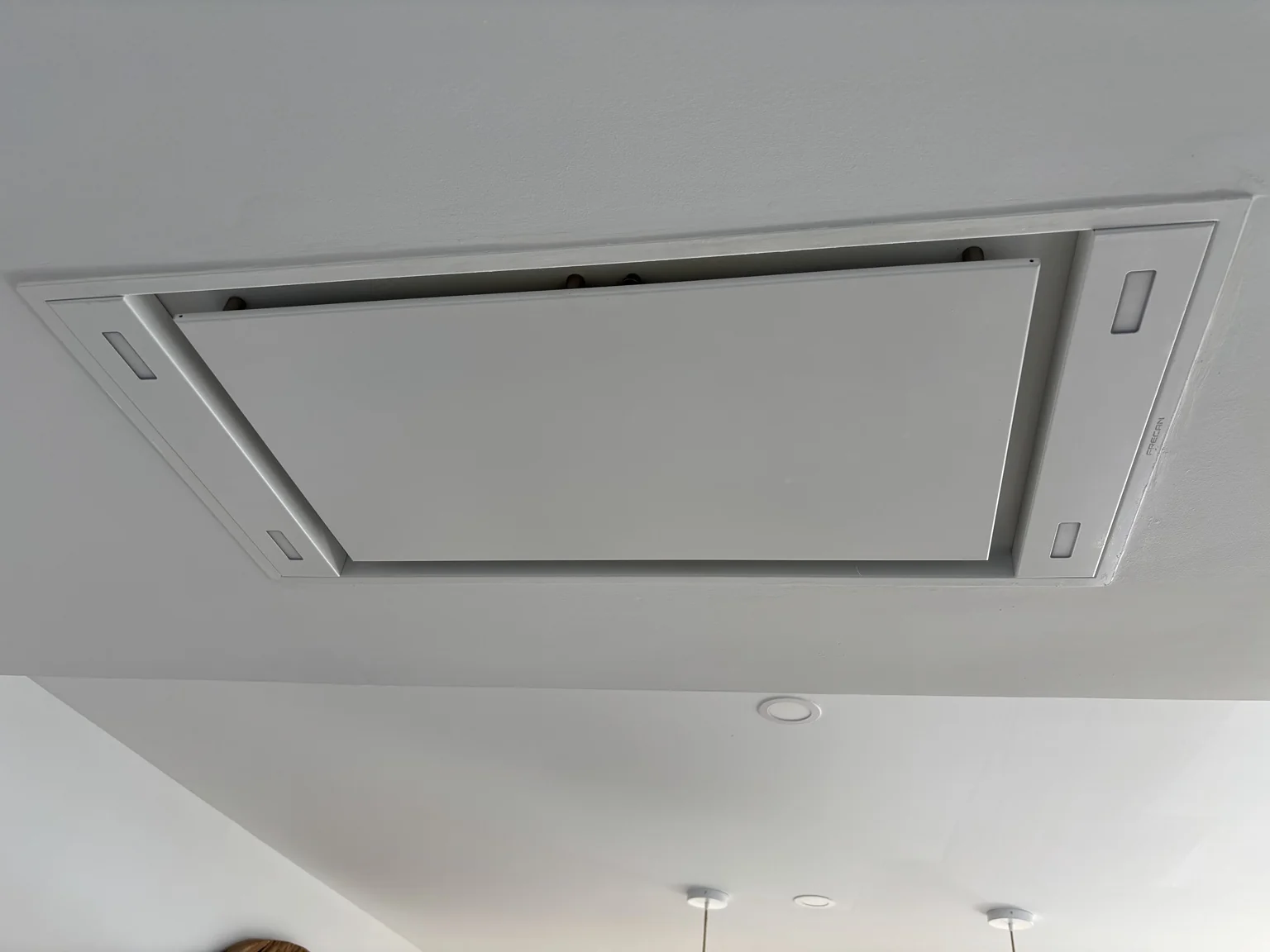
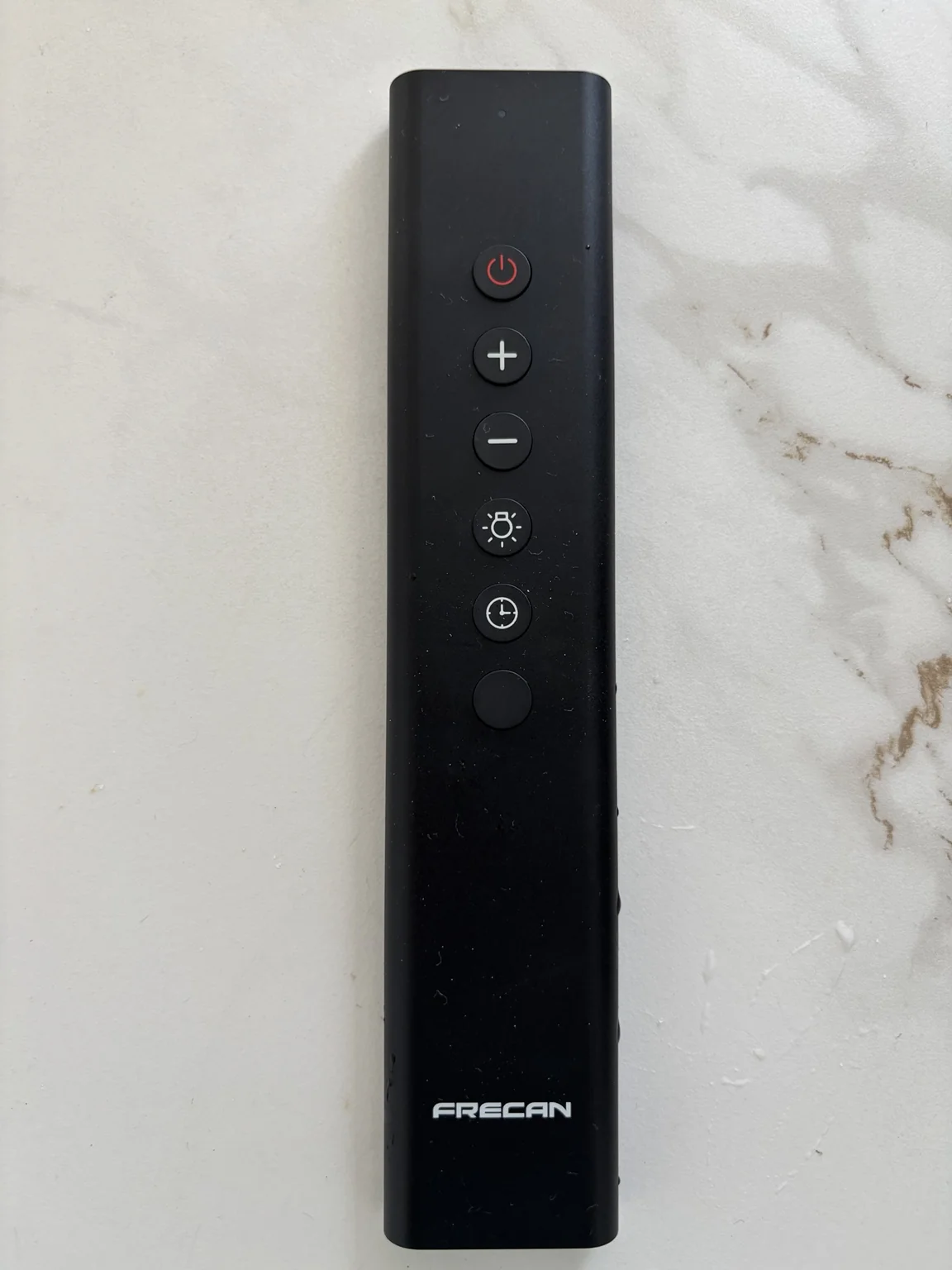
Extractor Hood · Frecan
The ceiling extractor hood is operated with a separate remote control. You’ll find the remote in the second drawer below the induction hob, on the right-hand side. Please return it to the same place after use.
Remote: power · + · − · light · timer. One additional button remains to be verified, so it is not described here.
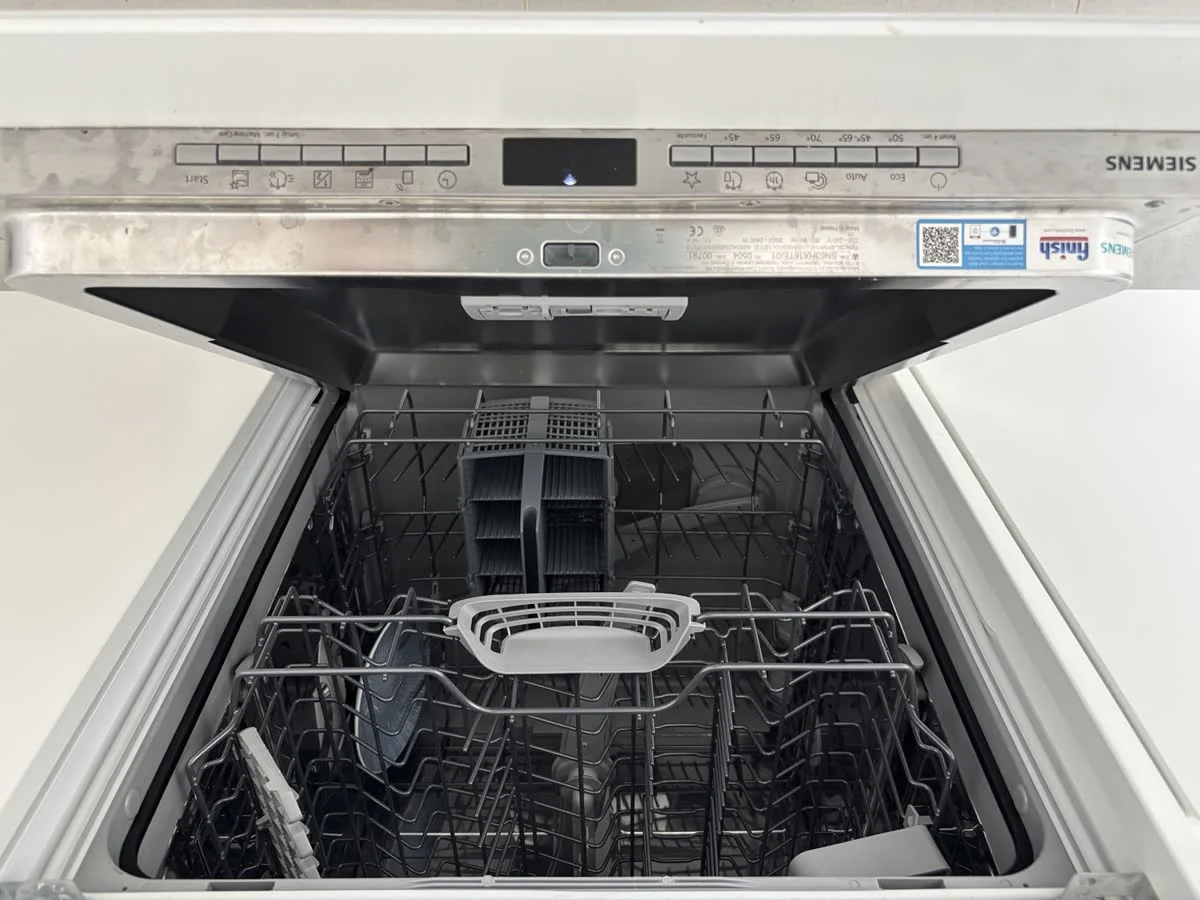
Eco or Auto is recommended for normal everyday washing. Use a shorter programme when needed. Dishwasher detergent is provided depending on availability. If a refill indicator appears, please let the Property Manager know rather than refilling technical reservoirs.
Integrated dishwasher
❄️ Fridge & freezer · Siemens
Fridge above, freezer below. Recommended temperatures are already set — please leave the temperature settings as they are.
☕ Coffee, your way
Nespresso · Filter coffee · French press. A toaster and other everyday kitchen appliances are also available.
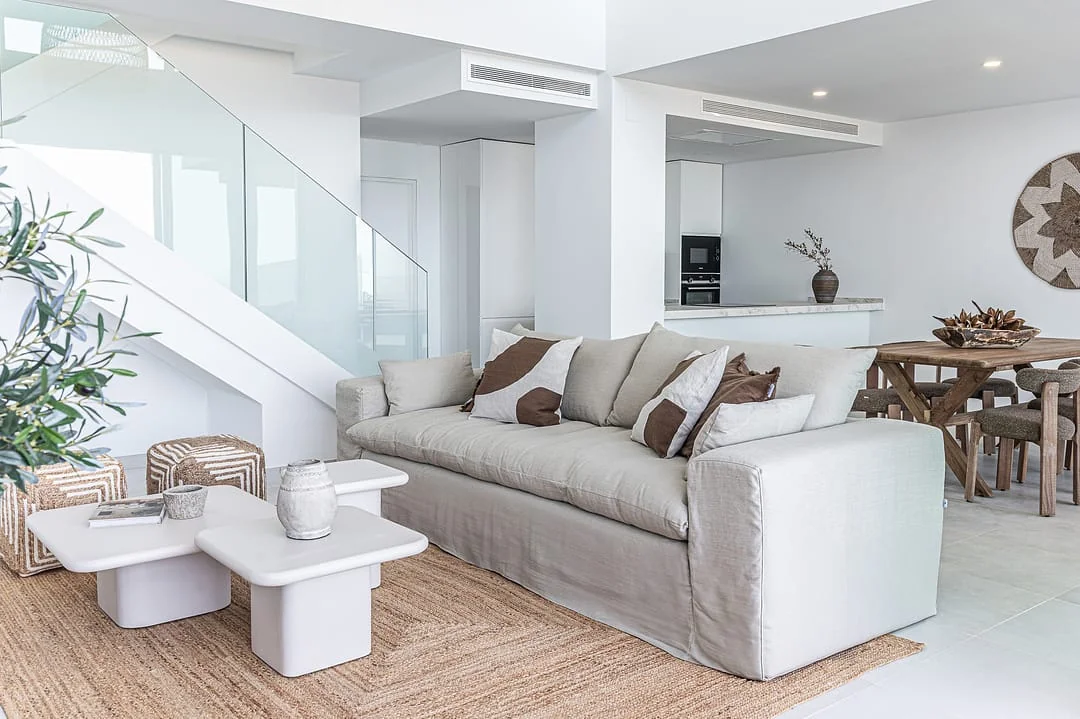
Living & Dining · open-plan living, dining and kitchen
A flexible open-plan space for eating, relaxing and opening the house directly onto the terrace and garden.
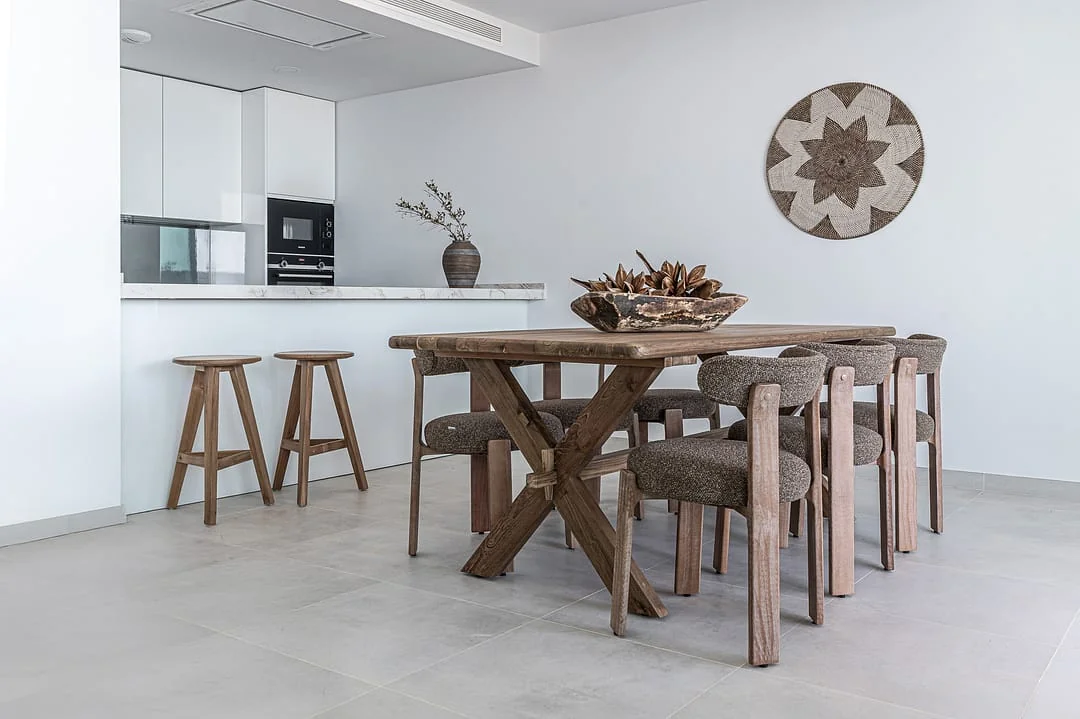
🍽️ Dining
The wooden dining table seats 6 people. Tablecloths are available — please use one when dining to help protect the table surface.
Dining area · table for six and kitchen bar
🥂 Kitchen bar
The kitchen bar and stools are ideal for breakfast, a quick meal or an aperitif.
🛋️ Lounge
The generous sofa area is designed for relaxing together. If you move any furniture to adapt the space, please return it approximately to its original position afterwards.
🌿 Opening the house to the terrace
The panoramic sliding doors can open the living and dining areas extensively to the terrace. The glass panels are large and heavy, so please guide them gently throughout the movement rather than pushing them or allowing them to slam.
Before lowering the locking handle, make sure the panel has reached its fully closed position. Forcing the handle before the door is completely closed may damage the locking mechanism.
If the doors will remain wide open for an extended period, please switch off the ground-floor climate system until they are closed again.
🔥 Fireplace
Please do not use the fireplace
The ethanol fireplace below the TV is decorative during guest stays. Please do not light or use it.
Your private outdoor space for dining, relaxing and enjoying the Mediterranean views.
🍽️ Outdoor dining
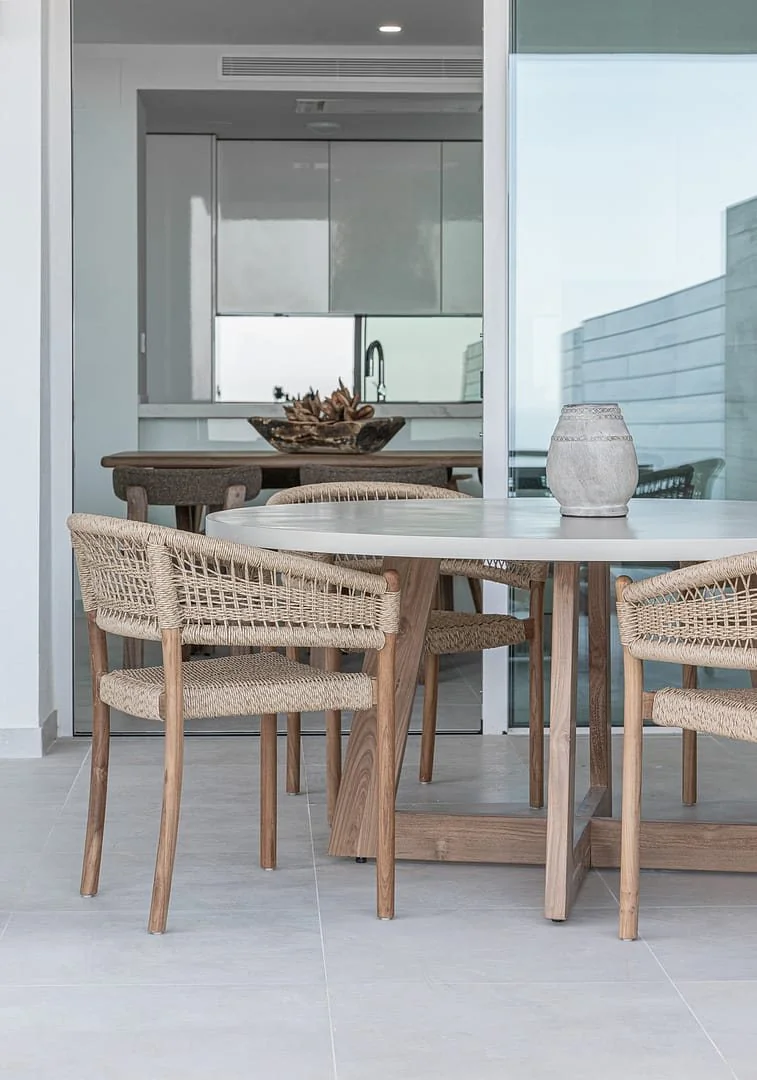
On the left as you step outside, you’ll find the microcement outdoor dining table with four chairs. Please use a tablecloth or suitable protection when dining to help protect the surface.
Outdoor dining area
🛋️ Lounge area
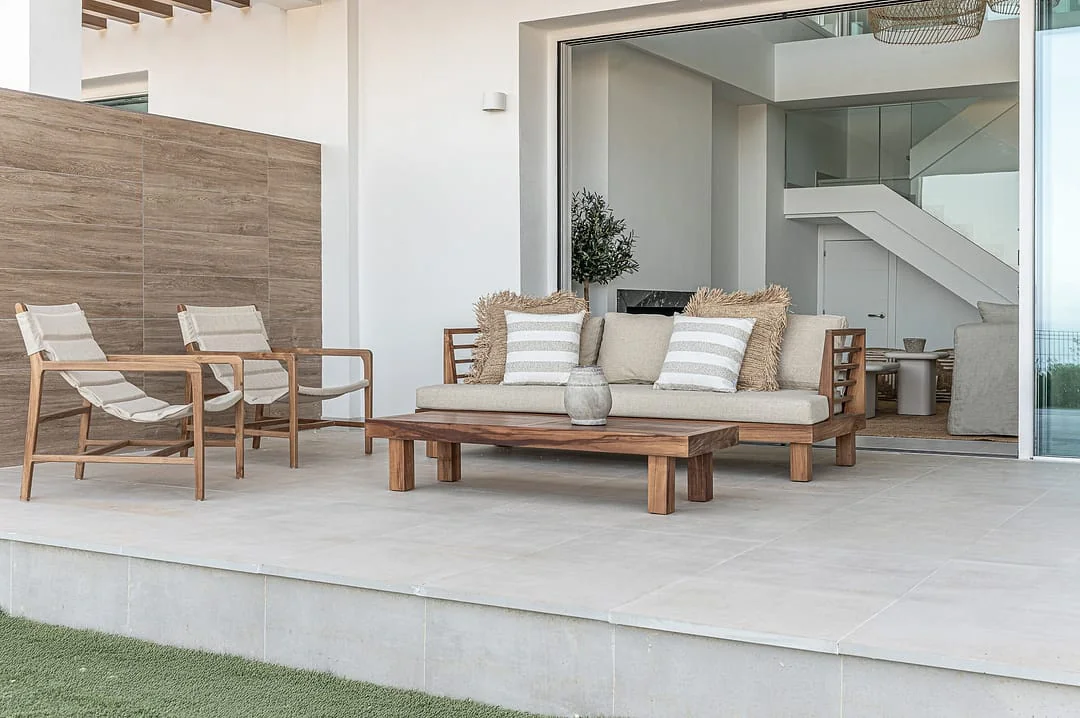
The outdoor lounge includes a sofa, two lounge chairs and a coffee table — a comfortable place to relax and enjoy the sea views.
🌿 Garden
The artificial-grass garden extends beyond the covered terrace. Please keep BBQs and other heat sources off the artificial grass. Sun loungers and a side table are not currently provided.
💡 Lighting
Terrace lighting is controlled from inside the house. Additional floor lamps beside the dining and lounge areas can be switched on individually.
🚿 Garden shower
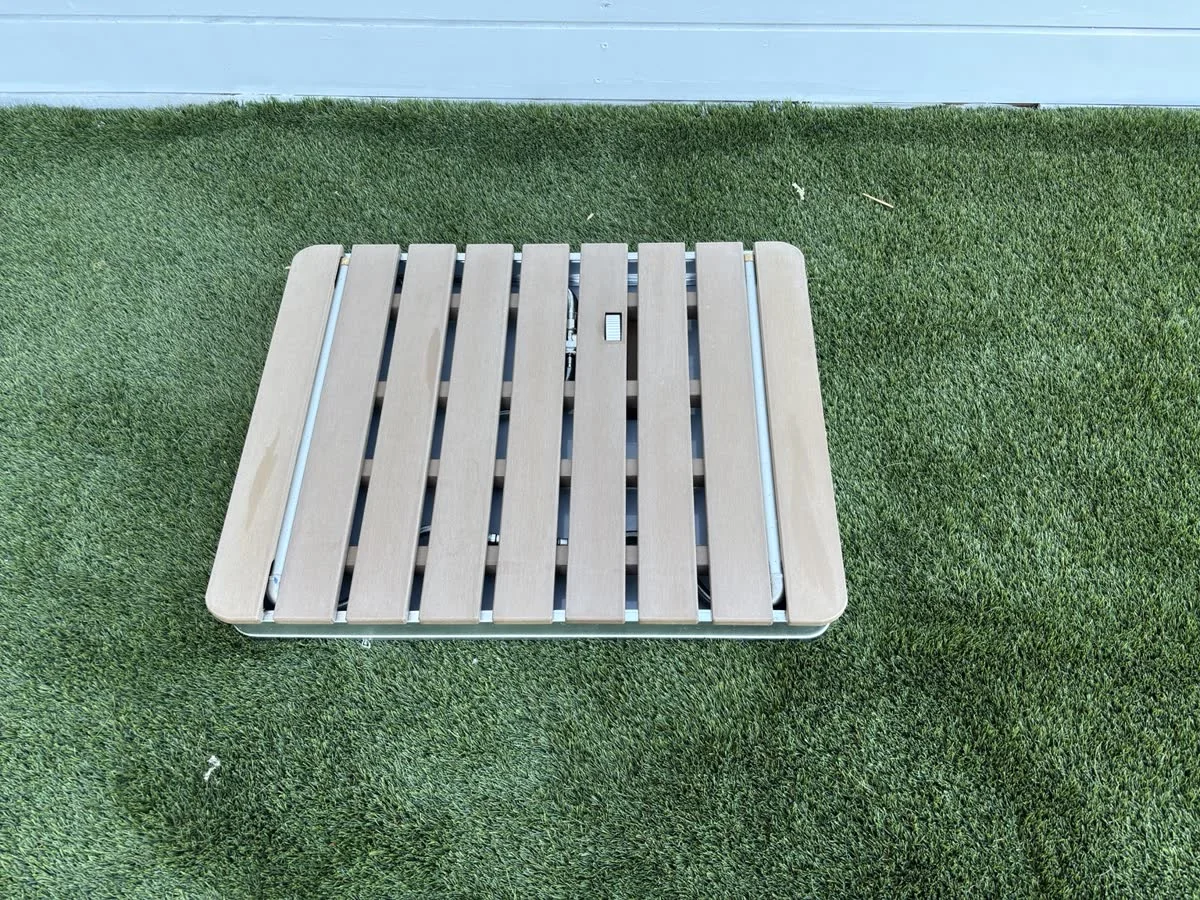
The shower platform is best used on the artificial grass. Connect the hose to the fitting on the vertical side and open the outdoor water tap. Use the foot control on the platform to turn the water on or off. If the shower will not be used again for several hours, close the outdoor water tap. If the platform is not outside, you will find it in the cupboard under the stairs.
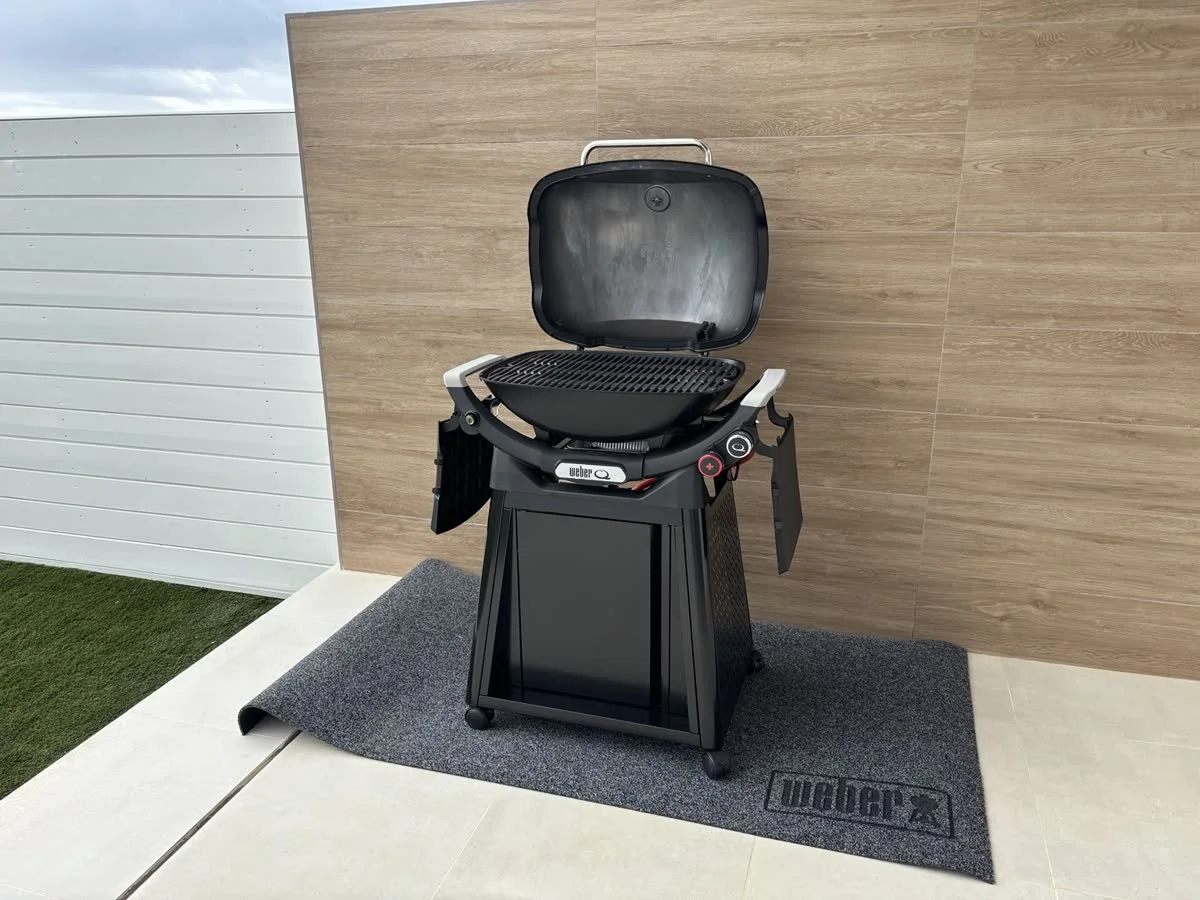
The Weber Q 3200N+ is provided for outdoor cooking on the tiled terrace.
1 · Before you start · Position & safety
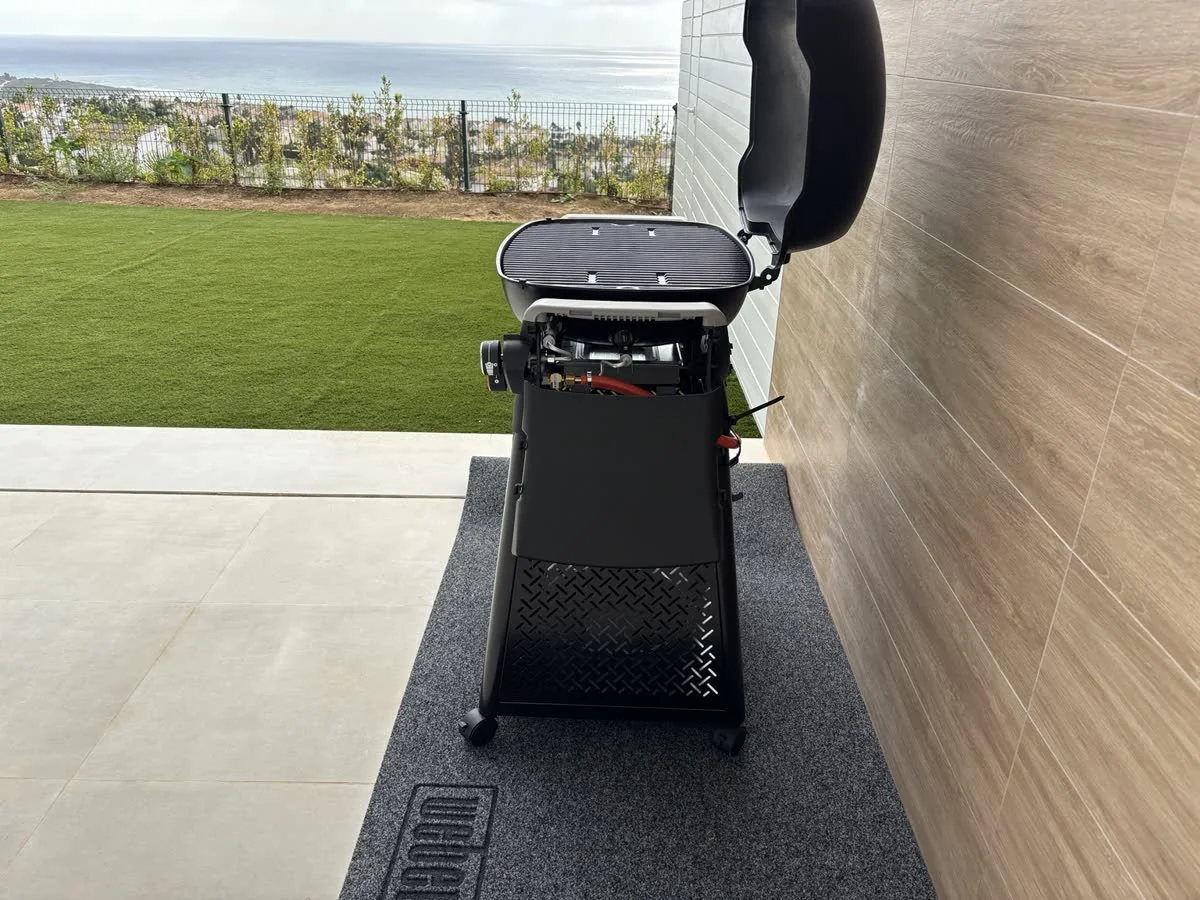
Remove the protective cover and place the floor-protection mat at the designated cooking area at the edge of the terrace next to the garden. Move the BBQ using its wheeled cart and keep both the BBQ and mat entirely on the tiled terrace — never on the artificial grass. Leave enough clearance from the wall for the lid to open fully without touching it.
BBQ · side view and wall clearance
2 · Set up the BBQ · Side shelves
The side shelves lock into position. To fold one down, lift it slightly, pull it gently out of the locked position, then lower it. To raise it, lift it until it seats securely. If it does not move easily, stop and do not force it.
BBQ side shelf · quick demonstrationBBQ side shelf · quick demonstration
3 · Light & control the BBQ
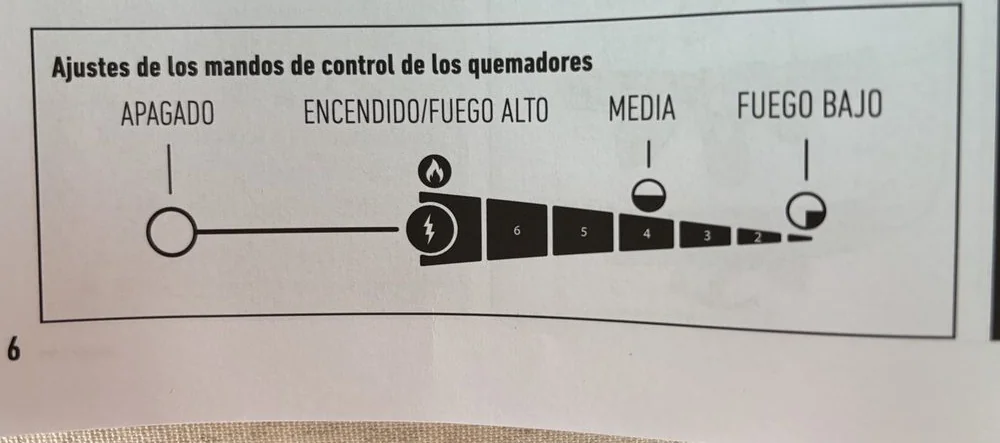
For normal grilling, use the main Q burner. This is the everyday heat control: after preheating, turn it down from HIGH to the level you need for cooking.
The + burner is an additional burner. It cannot be lit independently: always light the main Q burner first. Use the + burner together with the main burner when you want extra heat for high-temperature searing. Weber also uses the + burner for its dedicated low’n’slow setup; this is a special cooking mode rather than the normal way to grill.
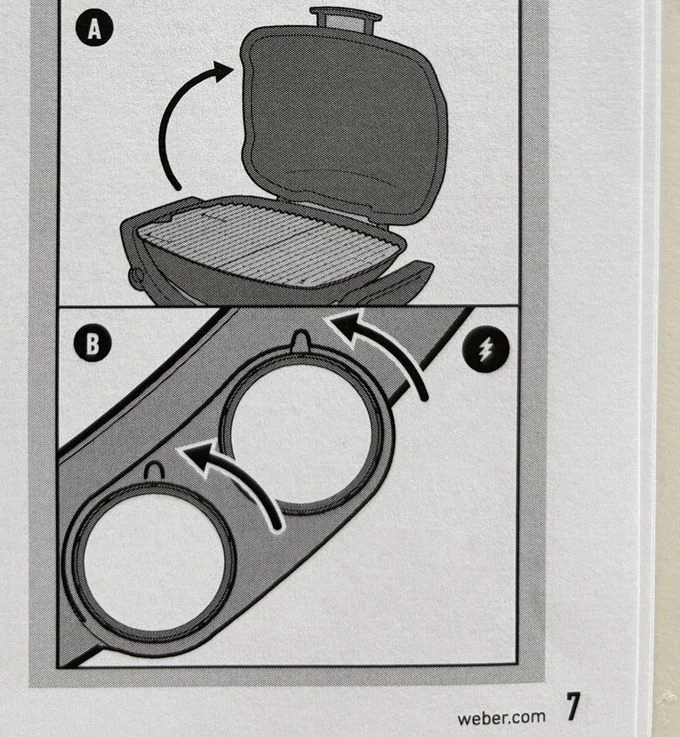
To light: open the lid and gas supply, turn the main Q burner to START/HIGH and use the electronic ignition. Once the main burner is lit, the + burner can be switched on if your cooking method needs it.
To preheat: close the lid and preheat on HIGH for around 10–15 minutes, or until the thermometer reaches approximately 260°C. Then select the heat needed for your food.
Controls · always light the main Q burner firstHeat control · OFF → START/HIGH → medium → low
If you want to use Weber’s low’n’slow method, or if the BBQ does not light normally, please check with the Property Manager rather than adjusting the gas installation yourself.
4 · After cooking
Press the burner controls in and turn them clockwise to OFF, then close the gas supply. Remove obvious food residue from the cooking grates and allow the BBQ to cool completely. Only move it once fully cool; then return it to its storage position and replace the cover. If there is any gas-related problem, please contact the Property Manager rather than changing the gas bottle or adjusting the installation yourself.
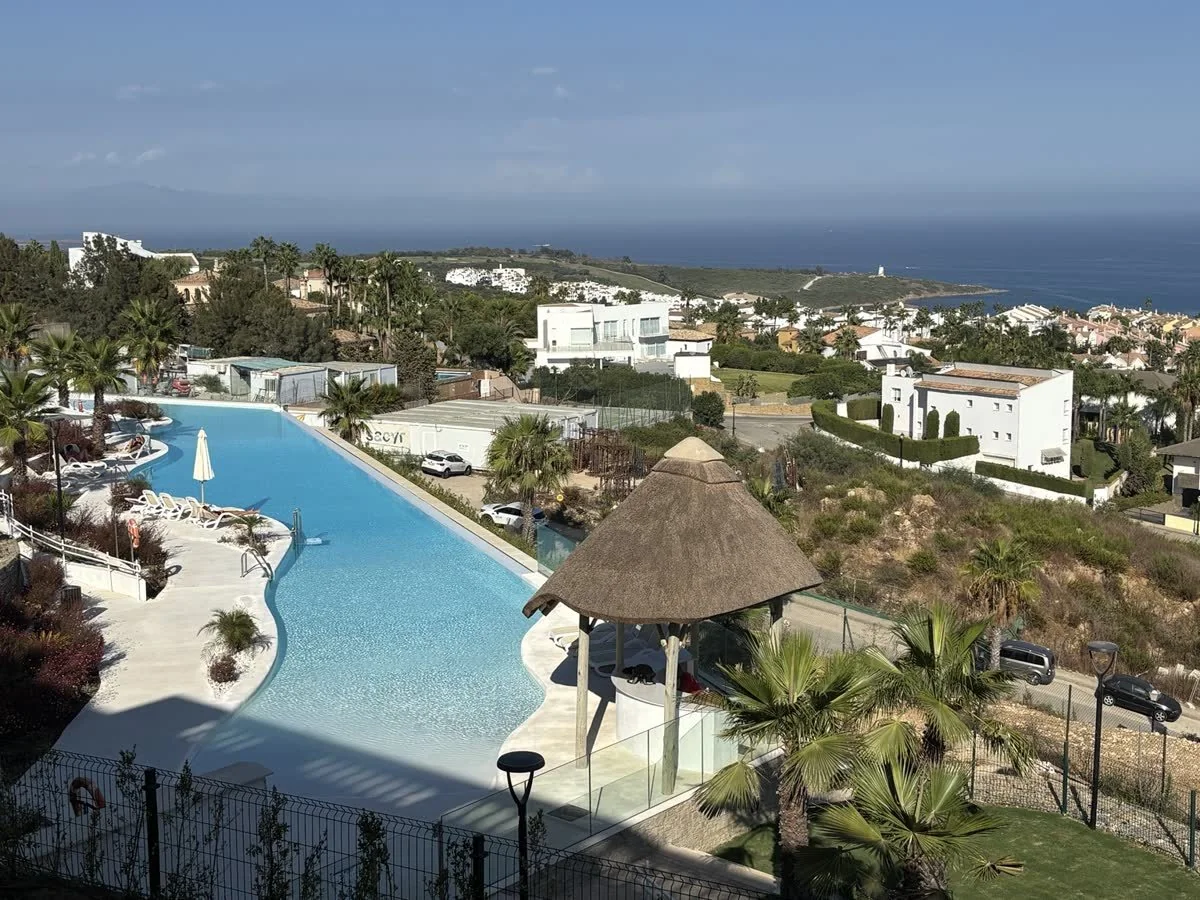
Enjoy the Infinity community pool overlooking the Mediterranean, with a separate children’s splash area alongside the main pool.
Infinity Pool · Mediterranean view
Getting there
Leave the house through the main entrance on Floor 1 and turn right. Follow the pedestrian path to the end of Camelia block. The lift and stairs are on your right, signposted for the pool. Go down two floors, follow the long corridor and the Infinity Pool entrance will be on your left.
Pool access
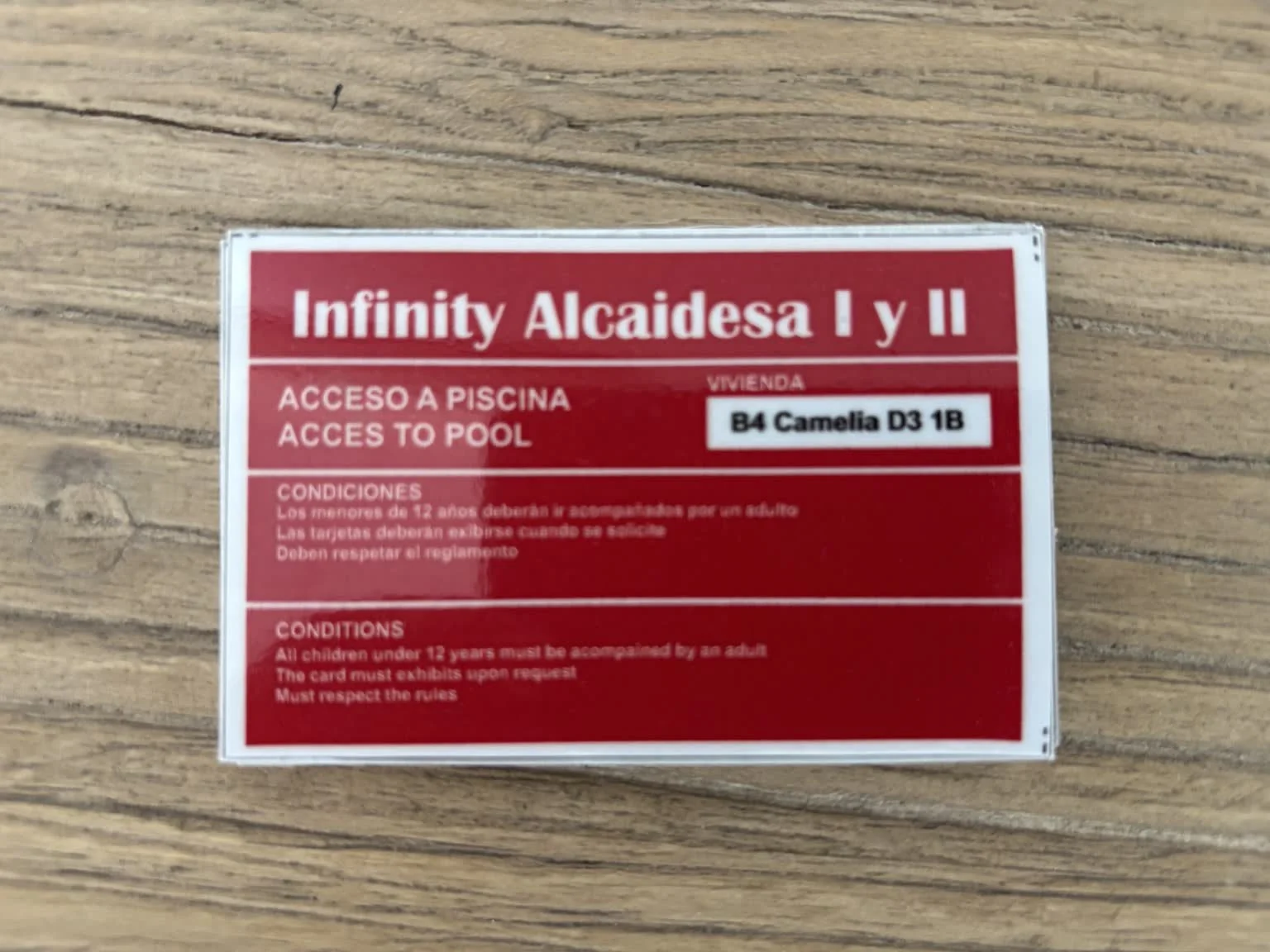
The property has 6 Infinity pool access cards. Please take a card with you each time you visit the pool and keep it available if requested.
One of the 6 pool access cards
Facilities
Toilets · Changing rooms · Showers · Children’s splash area
No need to clean the house before leaving. We simply ask that you leave it tidy and take care of a few things.
🍽️ Kitchen
Please leave dishes and cooking utensils taken care of and the kitchen reasonably tidy.
🗑️ Waste
Please dispose of any remaining household waste before leaving.
🔥 BBQ
If used, please leave the cooking grates free of obvious food residue. Once completely cool, return the BBQ to its storage position and replace the cover.
🚪 House & outdoor areas
Please close all windows and exterior doors, make sure any outdoor water connections you used are fully closed, and return any furniture you moved approximately to its original position.
🧳 Personal belongings
Please check bedrooms, bathrooms and charging points for anything you may have left behind.
🔑 Keys & access
Please return all house keys, garage remotes, alarm Tags and pool access cards as agreed with your Property Manager.
The Rock, Upper Rock Nature Reserve, Barbary macaques and views across the Strait. Practical border and parking advice will be verified before publication.
🚗 ~25–35 min + border time · ⏱️ Half day / full day
Historic centre, sherry culture and a winery visit.
🚗 ~1 hr 20–30 min · ⏱️ Full day
🍷 Worth planning: book a winery visit and sherry tasting in advance. Tío Pepe / González Byass is our initial suggestion; we have not personally tried this experience yet.
 TAG READERTOUCH KEYPADARM / DISARM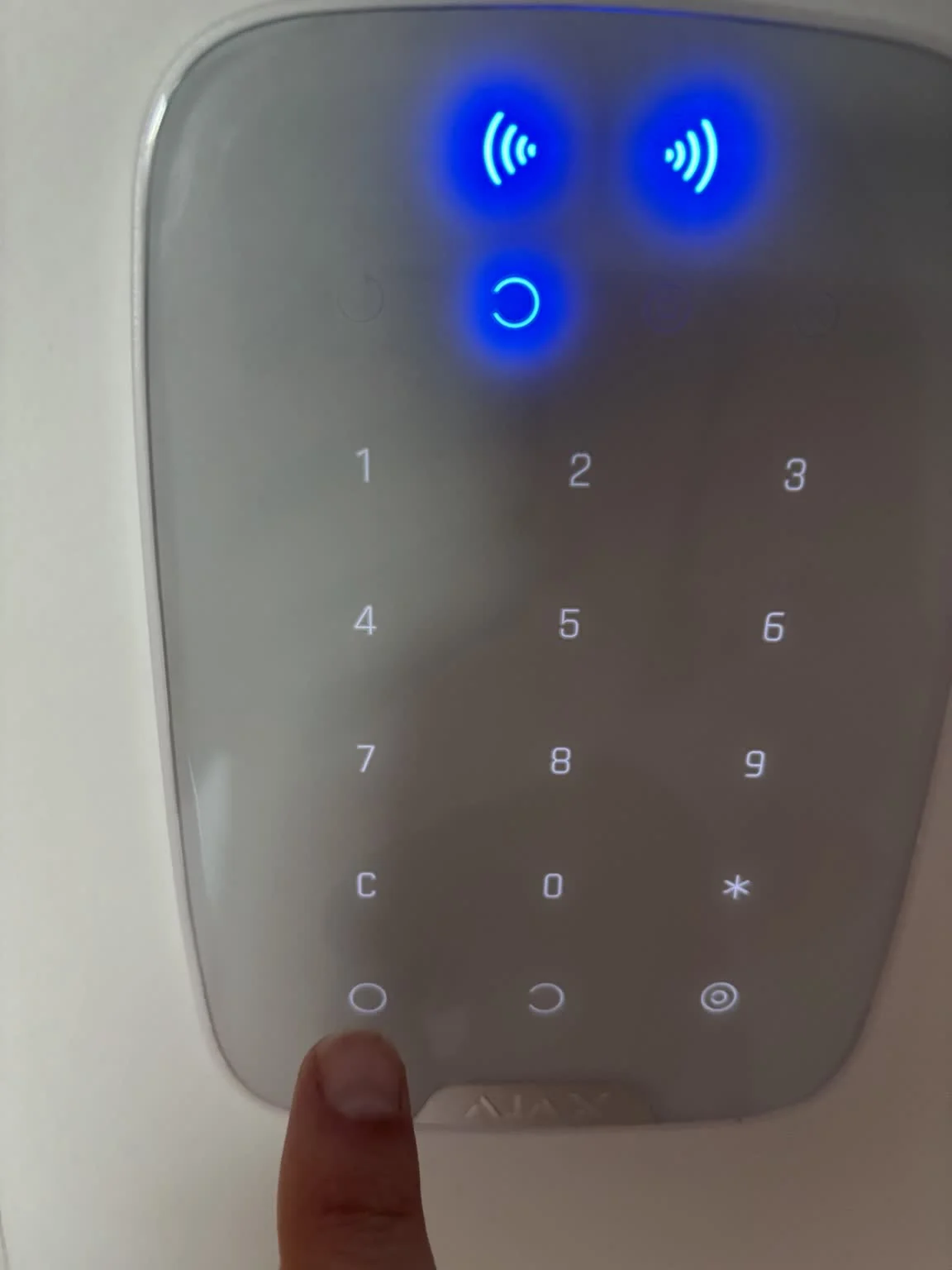
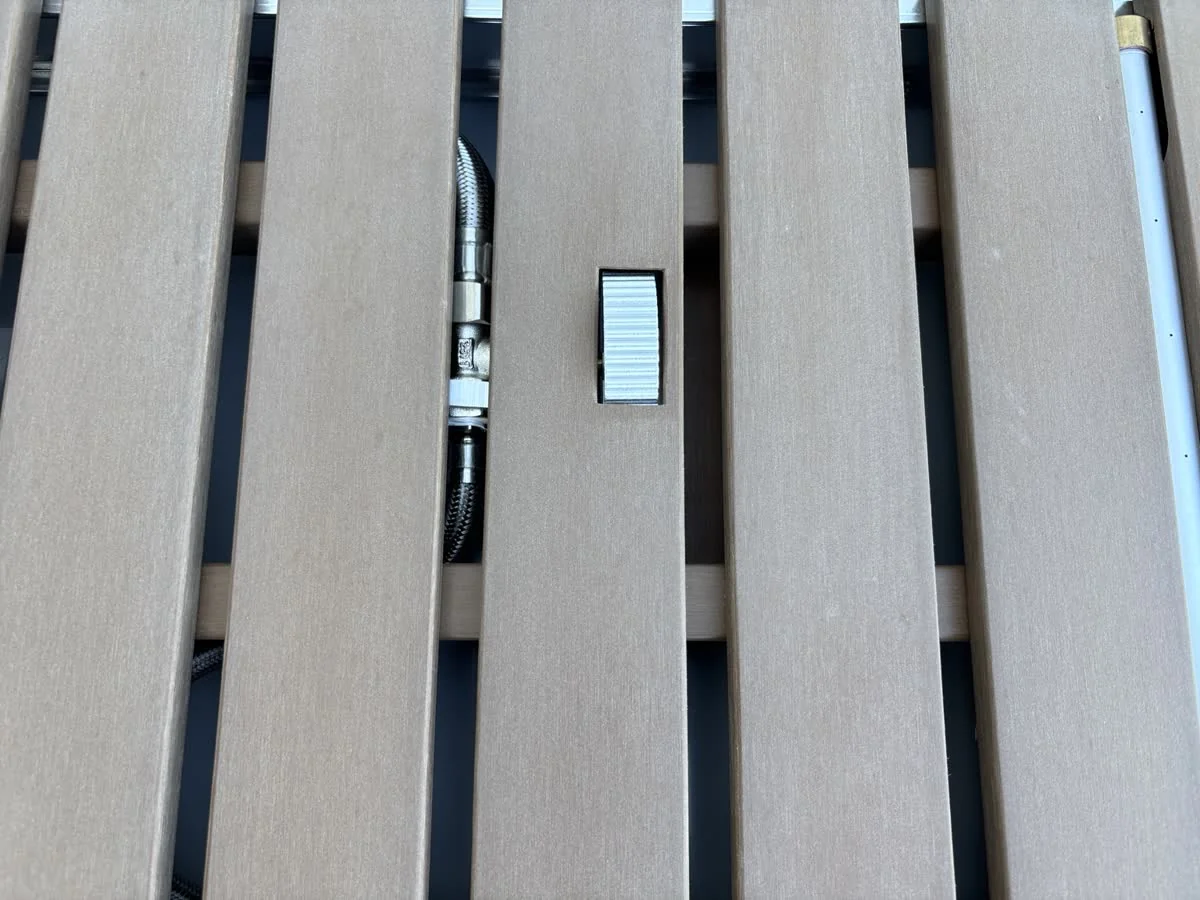 FOOT CONTROL · ON / OFF